Intouchcx · SuperPunch
Real Time Analyst
B2B SaaS
Product Design
Product Management
Desktop + Tablet
Contact Center Operations
A purpose-built operations dashboard that replaced a fragmented multi-system
workflow — designed for the people who keep contact centers running in real
time.
01 · The Problem
From reporting to operating
Contact center operations run on a fundamental tension: staffing plans are built in advance, but call volume is unpredictable in real time.
The gap between the two needs to be monitored, interpreted, and acted on — continuously, every 15 minutes, throughout the day.
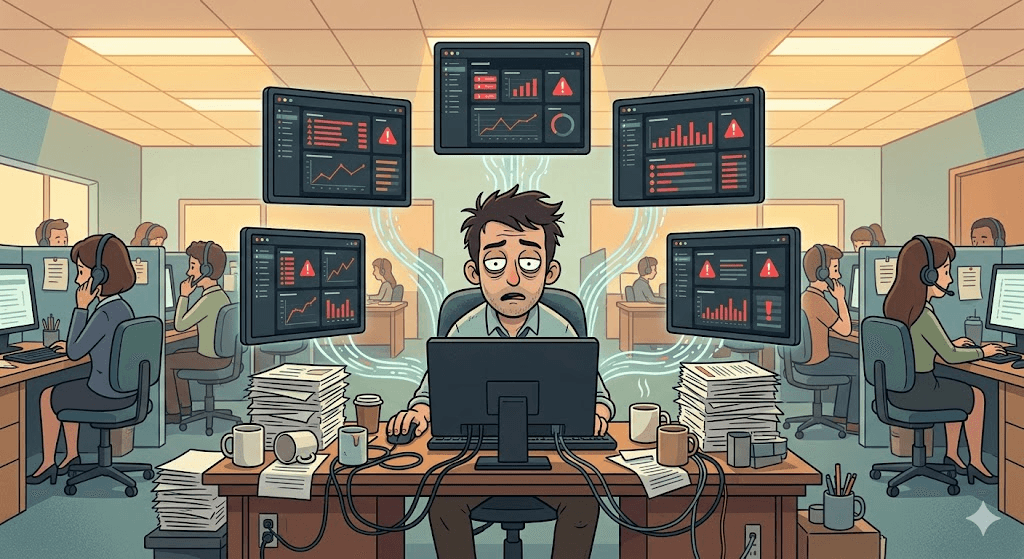
Before this product, the analyst responsible for this had to manually piece together a picture from multiple disconnected systems.
System
What it provided
The gap
WFM (IEX)
Planned schedules
No real-time view
ACD (Avaya)
Live call data
No staffing context
Superpunch
Agent aux codes & activity
No consolidated view
Google Looker Studio
Attempted consolidation
Hit a hard architectural ceiling
The Looker Studio version was a first attempt at integration — but it exposed a more fundamental problem. The team didn't just need to see data. They needed to act on it. Looker Studio's architecture made that impossible: no threshold-triggered notifications, no ability to log interventions, no path to integrating the chat notification workflow.
"There is no standard or requirements on how RTAs monitor Real Time Activities."
— RTA User Story document, IntouchCX
02 · Users & Context
Three roles, one workflow
RTA monitors dashboard
→
Detects anomaly
→
Notifies via IM
→
TL intervenes (individual)
/
OM intervenes (systemic)
RTA
Real-Time Analyst
Primary operator
primary user
Environment
Fixed workstation, large monitor, all-
day monitoring
Device
Desktop, 1440px+
Info density
High — multi-layer data simultaneously
Permissions
Full — filter, sort, notify, snooze
TL/OM
Team Leader/ Operations Manager
Passive recipient
secondary user
Walking the floor, on the move
Phone or tablet, fragmented attention
Low — just who and what
Read-only
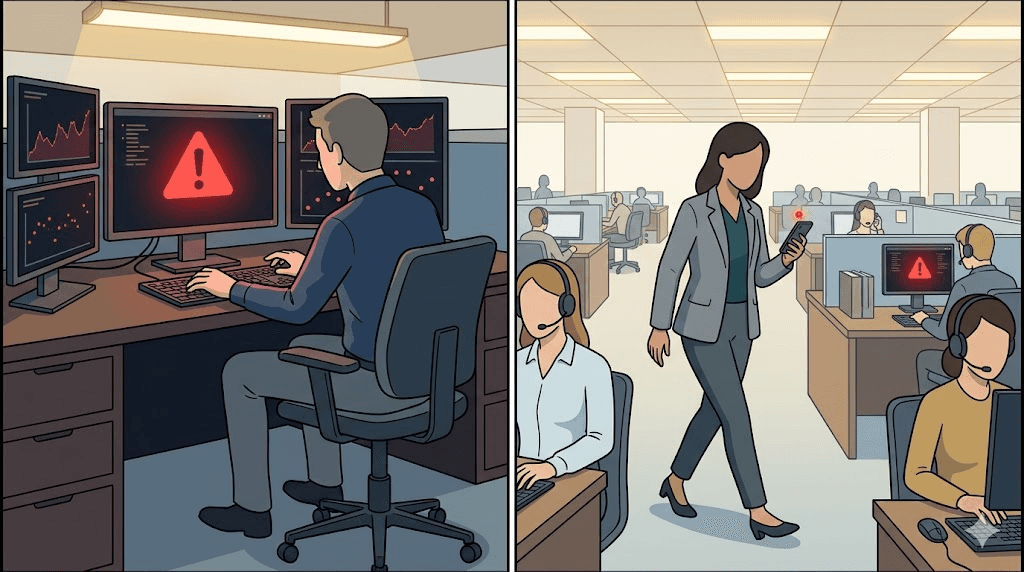
TL and OM roles spend most of their time walking the floor — confirmed during on-site research visits. This directly shaped the Phase 1 scope: optimize entirely for the RTA's seated, sustained-attention context. A mobile view for TL/OM was explicitly deferred.
03 · Two Pages, Two Modes
The same person, two different questions
The navigation structure directly reflects how the RTA's job works — not two users, but one user operating at two levels of resolution.
Real-Time Deck
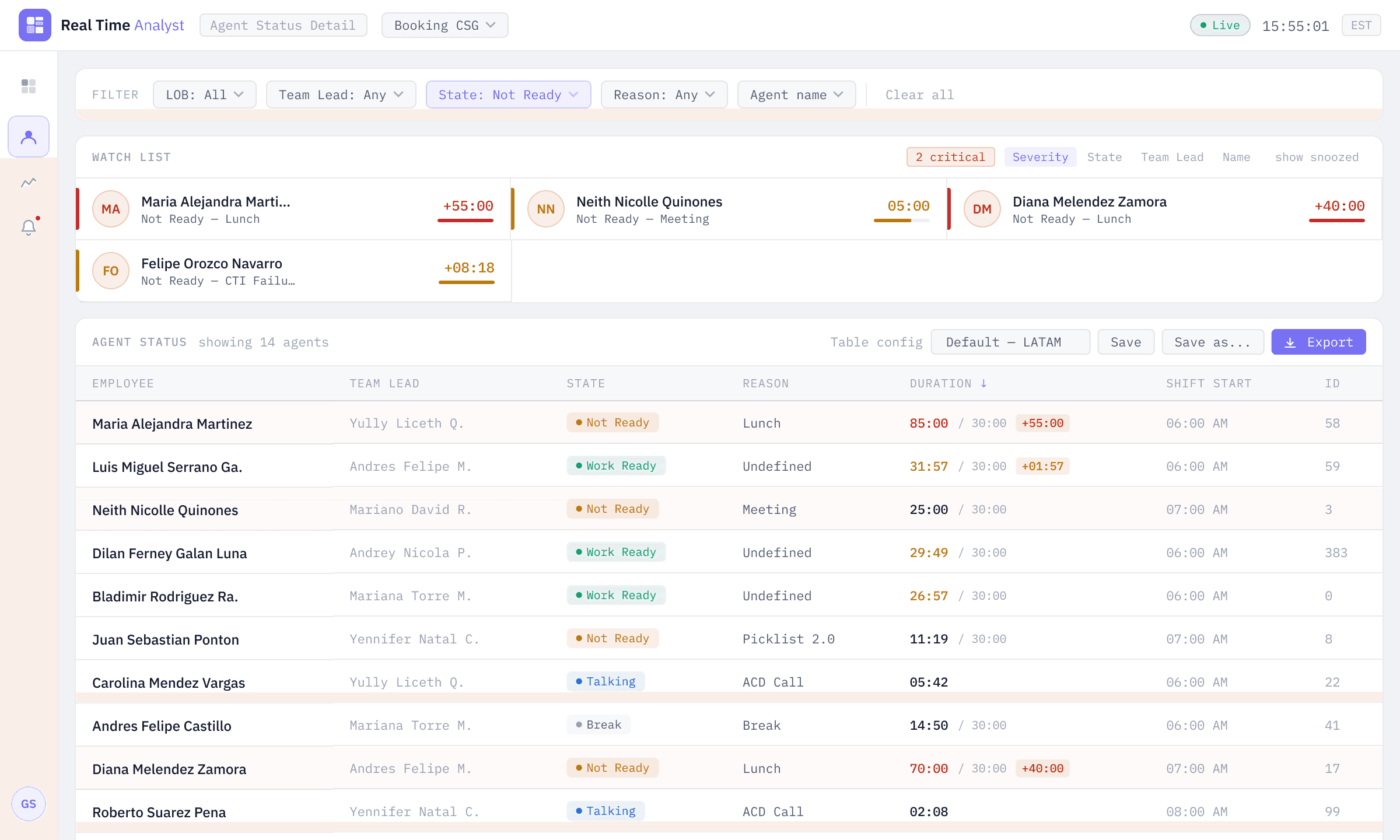
Agent Status Detail
Core question
Is today's staffing sufficient?
Who specifically has a problem?
Analysis level
Whole team / by LOB
Individual agent
Key data
Planned vs Actual gap, queue, status distribution
Per-agent state, duration, threshold breach
Triggered action
Notify OM to reallocate resources
Notify TL to intervene with agent
Usage pattern
Always open — peripheral monitoring
Switched to when anomaly detected
Design priority
Anomalies catchable by peripheral vision
Severity-sorted, operationally direct
04 · Design Decisions
Four decisions that changed how the product works
1
Rebuilding information hierarchy
Problem
12 KPI metrics at equal visual weight. No differentiation between critical signals and reference data. No visual entry point for the RTA scanning in a hurry.
Decision
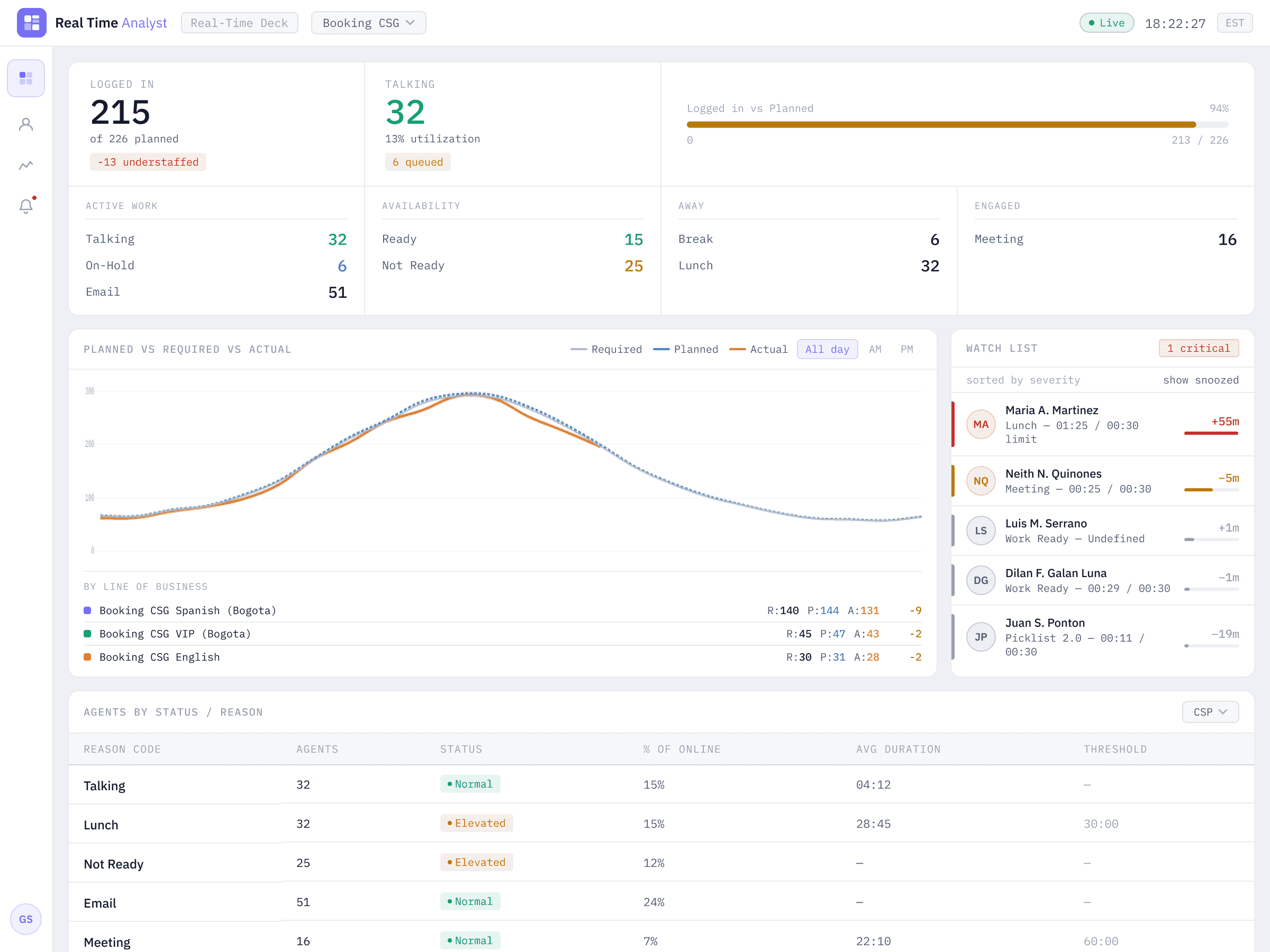
Two-tier structure. Hero tier for staffing gap and live load. Secondary tier reorganized into 4 semantic groups.
Active Work
Talking
32
On-Hold
6
51
Availability
Ready
15
Not Ready
25
Away
Break
6
Lunch
32
Engaged
Meeting
16
2
Redesigning Watch List
Problem
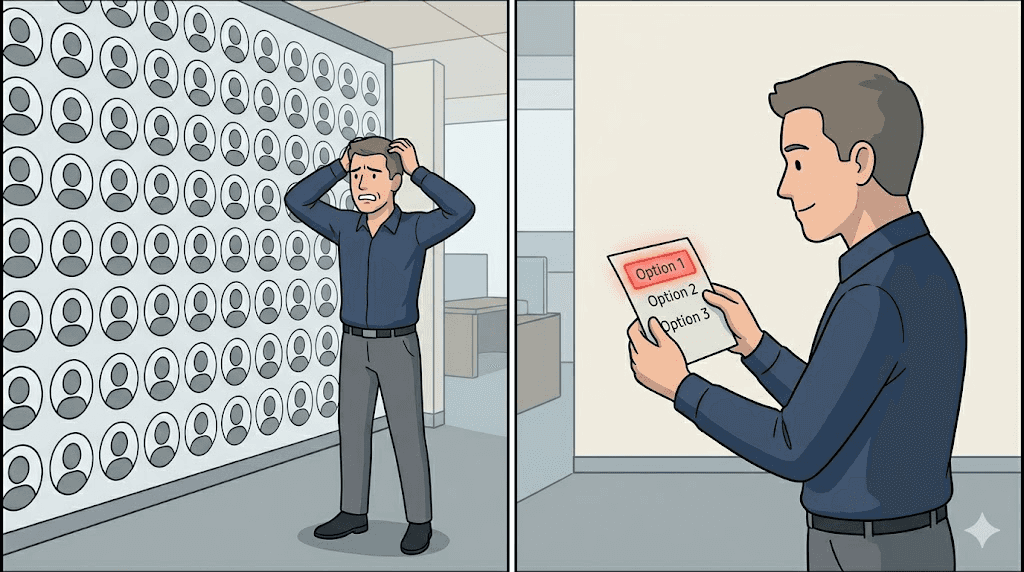
Avatar grid with colored border rings. High visual footprint, low information density. Severity readable only via color, no context visible without hovering.
Origin
Feature originated in the product spec as part of the threshold system — requirement-driven design, not a design hypothesis.
Decision
Severity-sorted compact list. Each row: avatar with severity color + name + current state + over/under time + progress bar. Actions accessible directly from the row.
3
Consolidating the staffing chart
Problem
One chart per LOB stacked vertically. Color-only line differentiation. X-axis with 48 labels. Charts too small to read trend shapes clearly.
Decision
Single unified chart with LOB breakdown as a compact summary table below. Three lines use color + weight + dash for redundant encoding. X-axis reduced to 24 hour markers.
4
Visual system — light theme + brand as accent
Theme
Light-primary: contact centers operate in bright office environments with fluorescent lighting. Light backgrounds maintain readability under high ambient light — dark mode would reduce contrast and obscure detail.
Brand color
#766ef3 as accent only. Active navigation, selected states, primary interactive elements. Never competes with semantic status colors.
Brand
#766ef3
Accent · interaction
Green
#0a9e6a
Normal · within threshold
Amber
#b87a08
Elevated · approaching
Red
#c42b2b
Critical · breached
05 · Designer + PM
What the dual role actually meant
Working as both product designer and co-PM meant the line between product decisions and design decisions was deliberately blurred. The goal was to reduce translation loss between intent and output.
PM
Product side
–
Requirements definition alongside lead PM Geri Sambrano
–
Contributed to spec writing; authored system and data architecture diagrams
–
Facilitated daily syncs, weekly catch-ups, and design audit sessions
–
Produced the Director-level slide deck for the Looker Studio migration value proposition
–
Led Phase 1 scope decisions — deferring mobile and automation features
Design
Design side
–
Sole product designer — end-to-end from research through handoff
–
On-site research at the contact center to observe RTA, TL, and OM workflows
–
Designed both primary views: Real-Time Deck and Agent Status Detail
–
Defined visual system, status color semantics, and component interaction patterns
–
Maintained design–spec alignment through build, reducing late-stage surprises
Having one person span both roles meant design decisions were grounded in technical constraints from day one. It also meant the honest limitation: neither role got the full depth of attention it deserved.
06 · Reflection
What I'd do differently
Area
What happened
What I'd change
Watch List validation
Designed from spec requirements and design inference — not tested directly with RTA users
Run usability sessions with RTAs before finalising the
interaction model
Mobile context
TL / OM mobile scenario noted but not designed for
Prototype a lightweight alert view for TL to assess whether it changes response time
Motion design
Animations added in post, not designed in parallel with the
visual system
Define motion principles at the start alongside the visual
system
Future directions
Automated notifications
The spec already defines a threshold-triggered system. Removing the manual detect → notify step is the highest-value next iteration.
Mobile view for TL / OM
Deferring mobile was the right Phase 1 call. The question worth answering next: would a
simplified alert view on TL's phone change response time?
Ethics of monitoring
Threshold values, snooze options, Watch List visibility — each decision carries implications for how employees experience being monitored.
07 · Further Reading
Deep dives on specific decisions
Why Watch List shouldn't be an avatar grid
Information density, operational affordance, and the redesign decision explained in full.
Read article →
Animation philosophy for B2B dashboards
Why restrained motion is a professional signal, and the three functional animation types used here.
Read article →
Where BI tools end and operational tools begin
The Looker Studio migration decision, and the architectural difference between reporting and operating.
Read article →
The ethics of designing monitoring tools
How design decisions in Watch List implicitly take a position on employee surveillance.
Read article →
Currently open to new
opportunities.
Let's build something that works for the workers.
← Back to all work