@IntouchCX · Mobile App · 2020–2025
Superpunch Mobile —
A contact centre app, redesigned from the inside out
I worked in a contact centre before I designed for one. That
changed what I thought the app should feel like.
My Role
Senior Product Designer & Product Owner
Timeline
2020–2021 ·
2024–2025
Platform
iOS
Android
Team
1 PM · Dev team · Product
Director
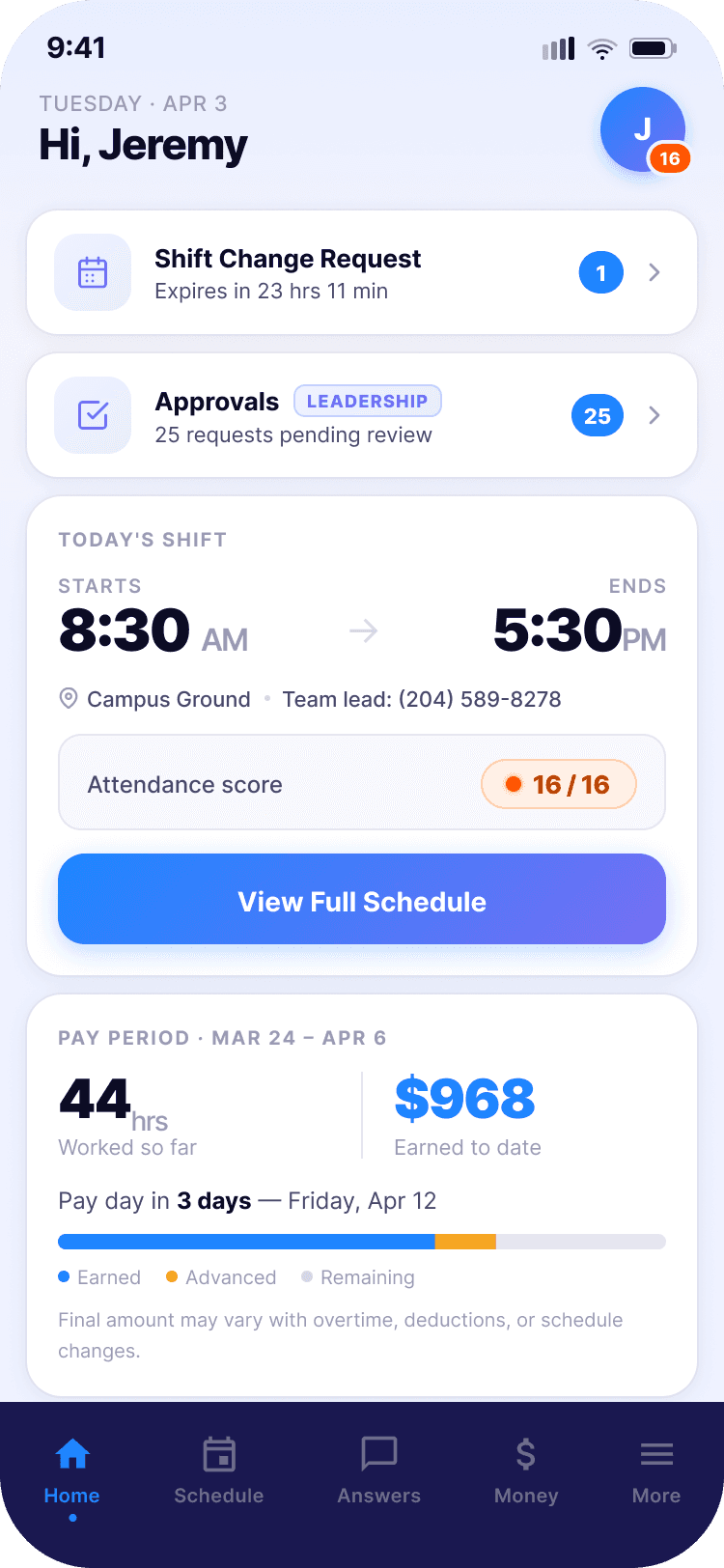
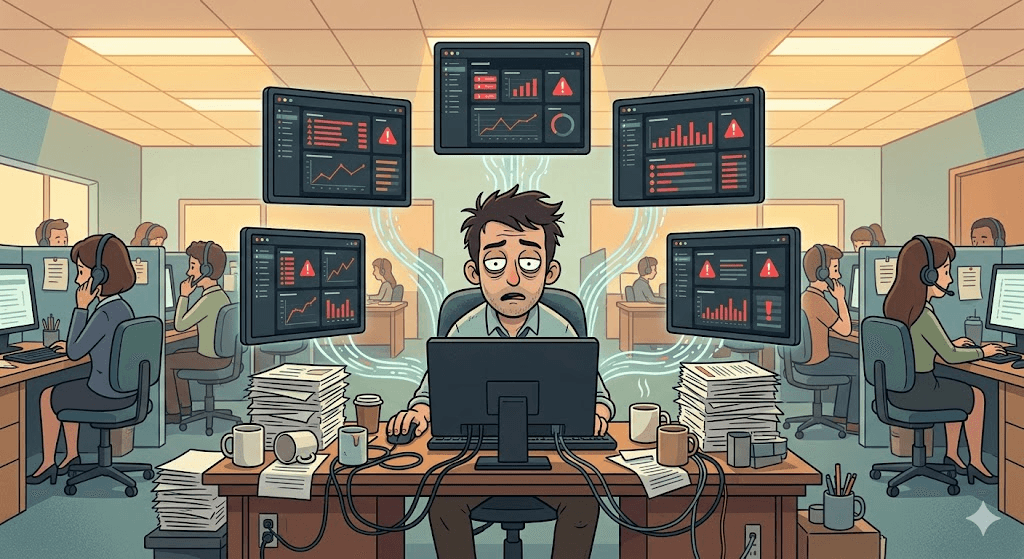
The reality of frontline contact centre work — high pressure, time-sensitive, constant schedule changes.
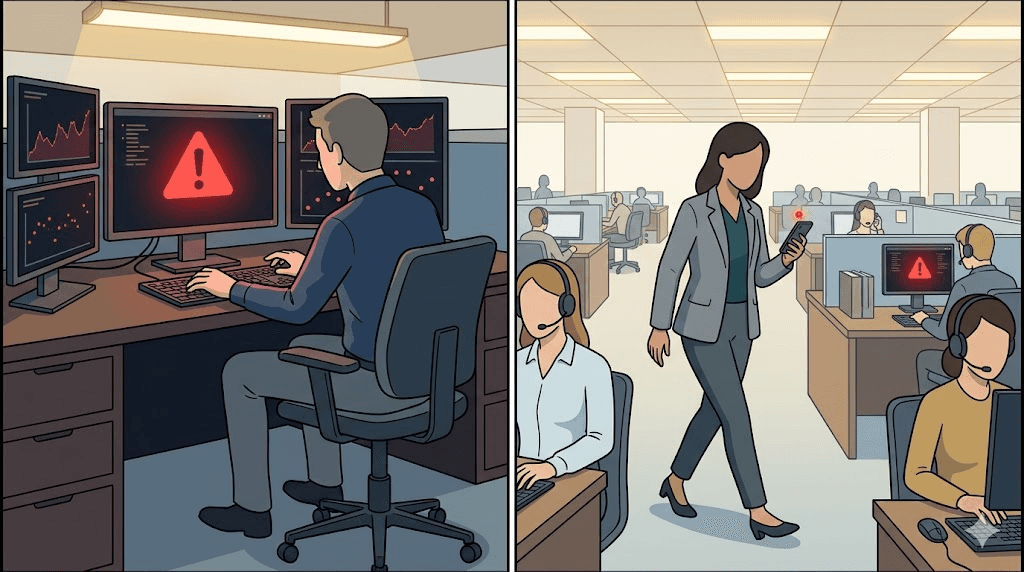
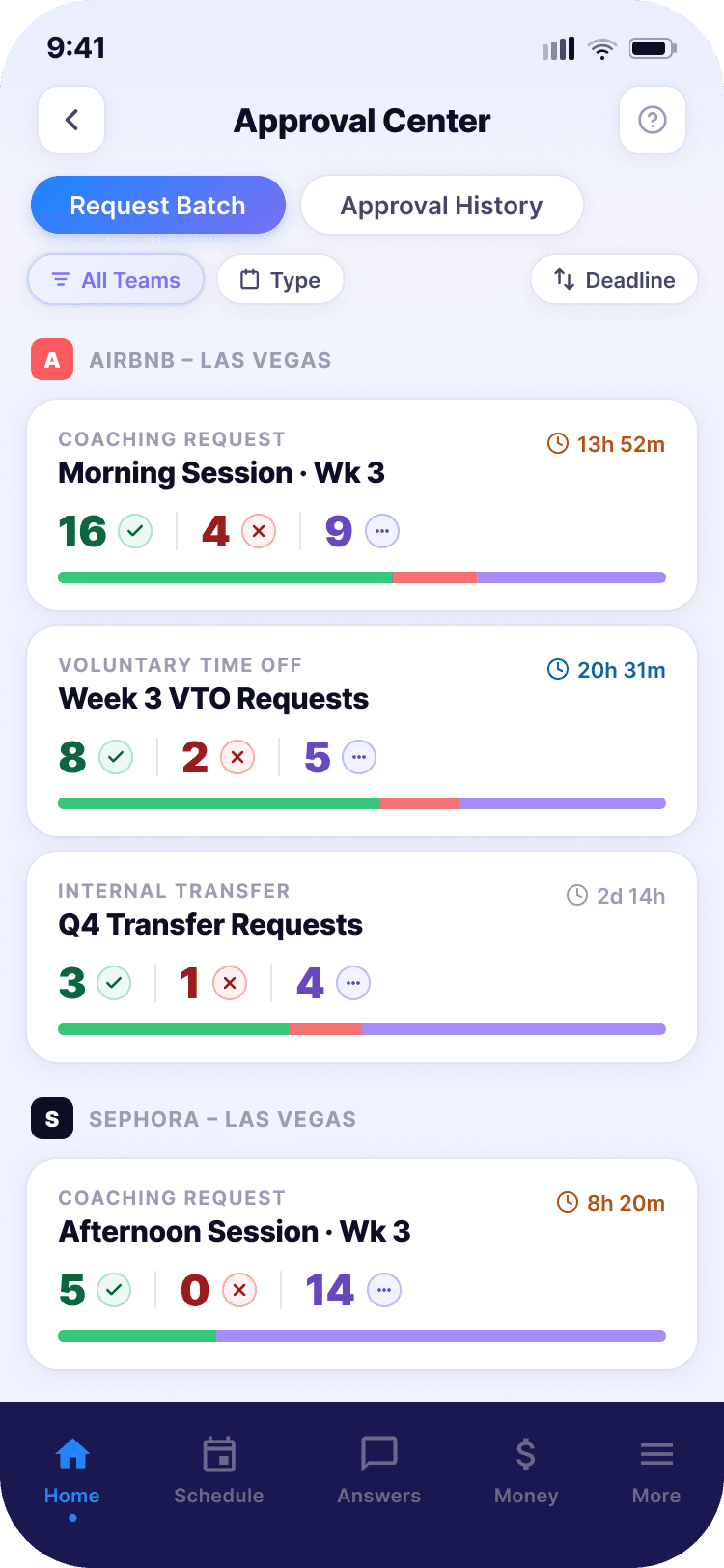
Leadership needed approvals on the go — returning to a desk to process paperwork was costing time.
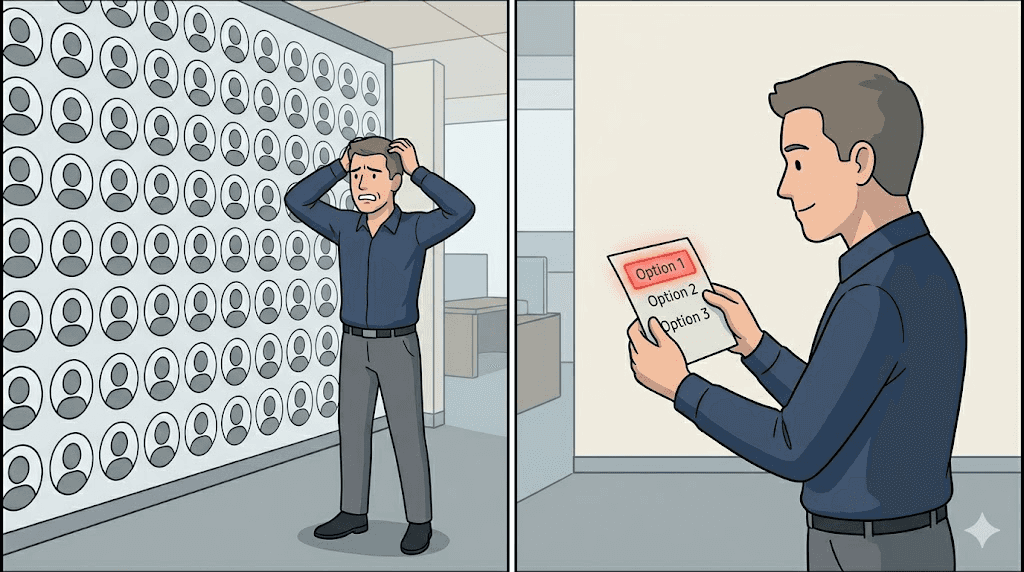
Batch approvals grouped by team and type — volume managed without losing oversight.
The Problem
An app built for a demo, not for a person on a break.
SuperPunch had a 2–3 star App Store rating. Most of the complaints were about broken functionality — connectivity issues, missing data. That's a development problem.
But there was a design problem too. The original visual direction was bold and saturated — deep blues, dark purples, strong animations. The senior designer who led it was genuinely talented. The founding team liked the visual impact. Nobody questioned it.
I'd worked in a contact centre myself. I knew what it felt like to check a scheduling app during a break, anxious about whether your shift had changed. These employees weren't looking for visual excitement. They needed calm.
Beyond the visuals, the information architecture was broken. The shift time — the one thing every employee opens the app to check — was third on the home screen, buried below promotional content. Express Pay appeared twice. Referrals had the same visual weight as scheduling. There was no hierarchy.
Before — Original Home Screen
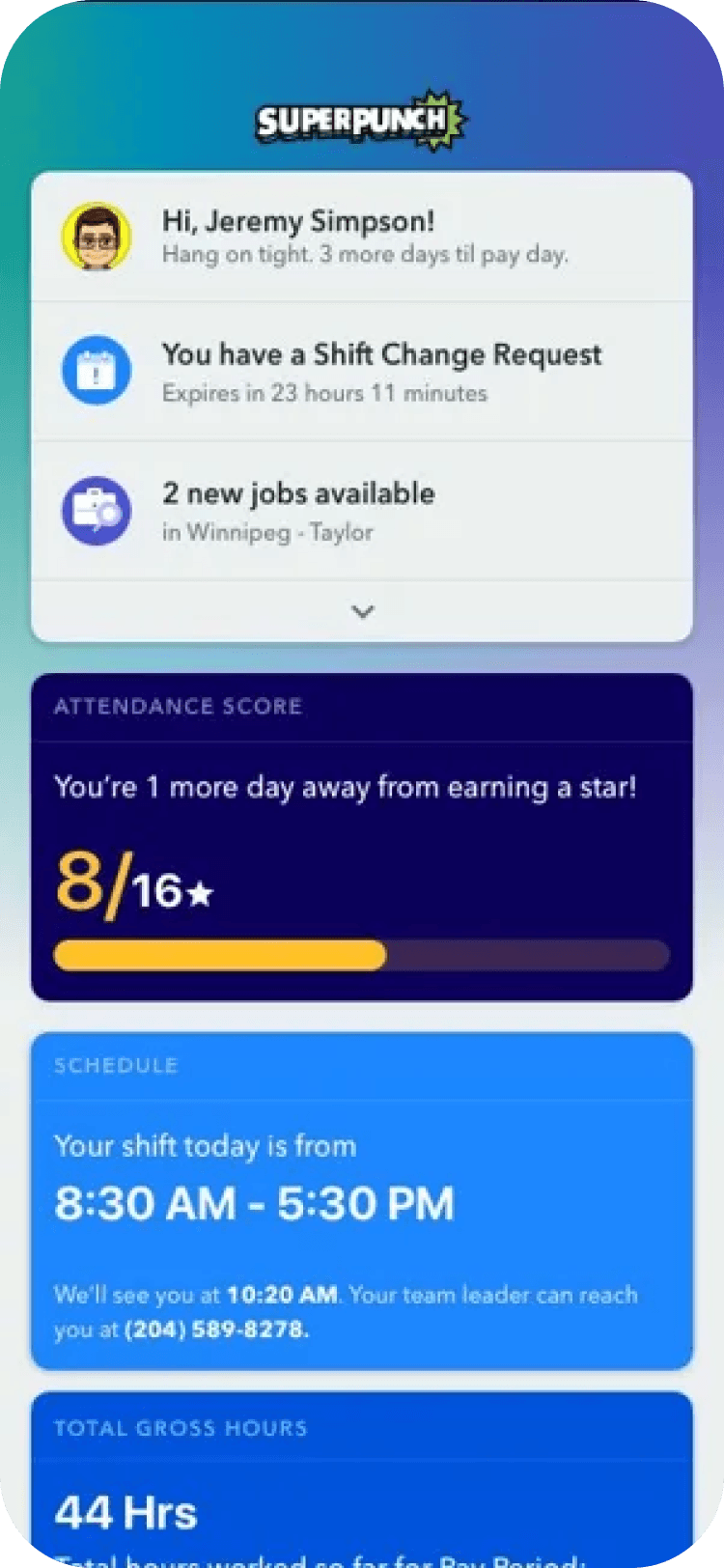
After — Redesigned Home Screen
What Changed
Three shifts that shaped the entire redesign.
01
Calm over stimulation
Blue-purple palette kept, but rebuilt with semantic meaning. Colours now communicate
state — not mood.
02
Hierarchy for real needs
Home screen re-organised around one question: what does this person need to know in the next 30 seconds?
03
Role-aware design
The original treated everyone the same. The redesign distinguishes frontline employees, team leads, and operations managers.
Part 2 — Deep Dive
The decisions behind the design.
Each module had a distinct problem. Here's how I thought through them.
Home Screen
The priority order was wrong.
The original order: notifications → attendance score → schedule → hours → Express Pay (twice) → referrals → support. There was no user logic to this. Express Pay appearing twice was a business decision. The shift time was third.
The redesign rule: what would stress the employee most if they missed it goes first. What they can live without seeing today goes last.
Design Decision
Referrals removed from home screen entirely
I worked at this company for five years and used the referral feature once — to help a colleague. It doesn't belong in prime real estate. Moved to secondary navigation under "More".
Design Decision
Attendance score folded into the shift card
Originally a separate card with large visual weight. The score matters, but it doesn't need its own full card on every load. Integrated into the shift summary, visible without dominating.
Schedule & Shift Change
Designing for the emotional context, not just the information.
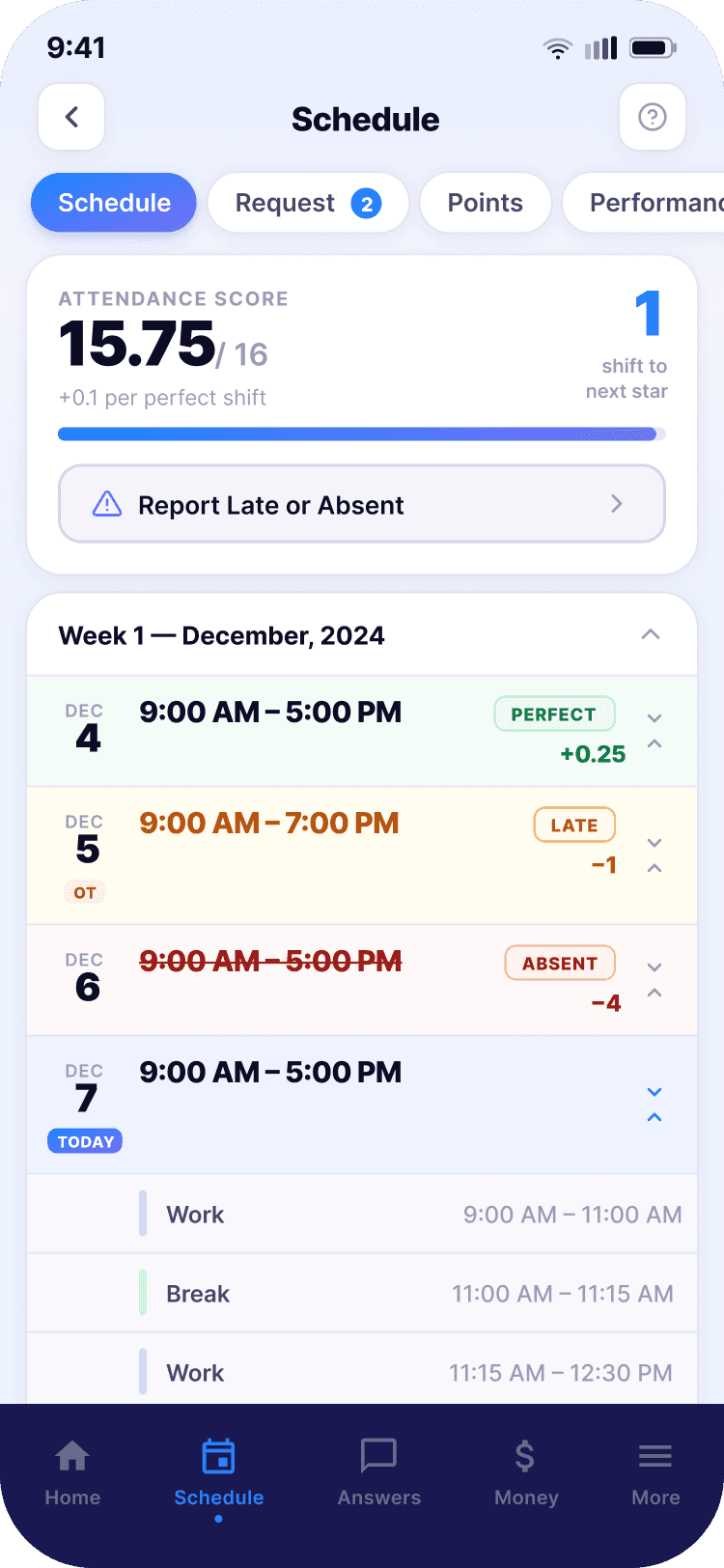
Attendance score in a contact centre is not a neutral metric. It affects your standing, and in some cases your employment. Employees check it with anxiety. The design needed to make it visible without making it overwhelming.
Design Decision
Asymmetric interaction for shift change requests
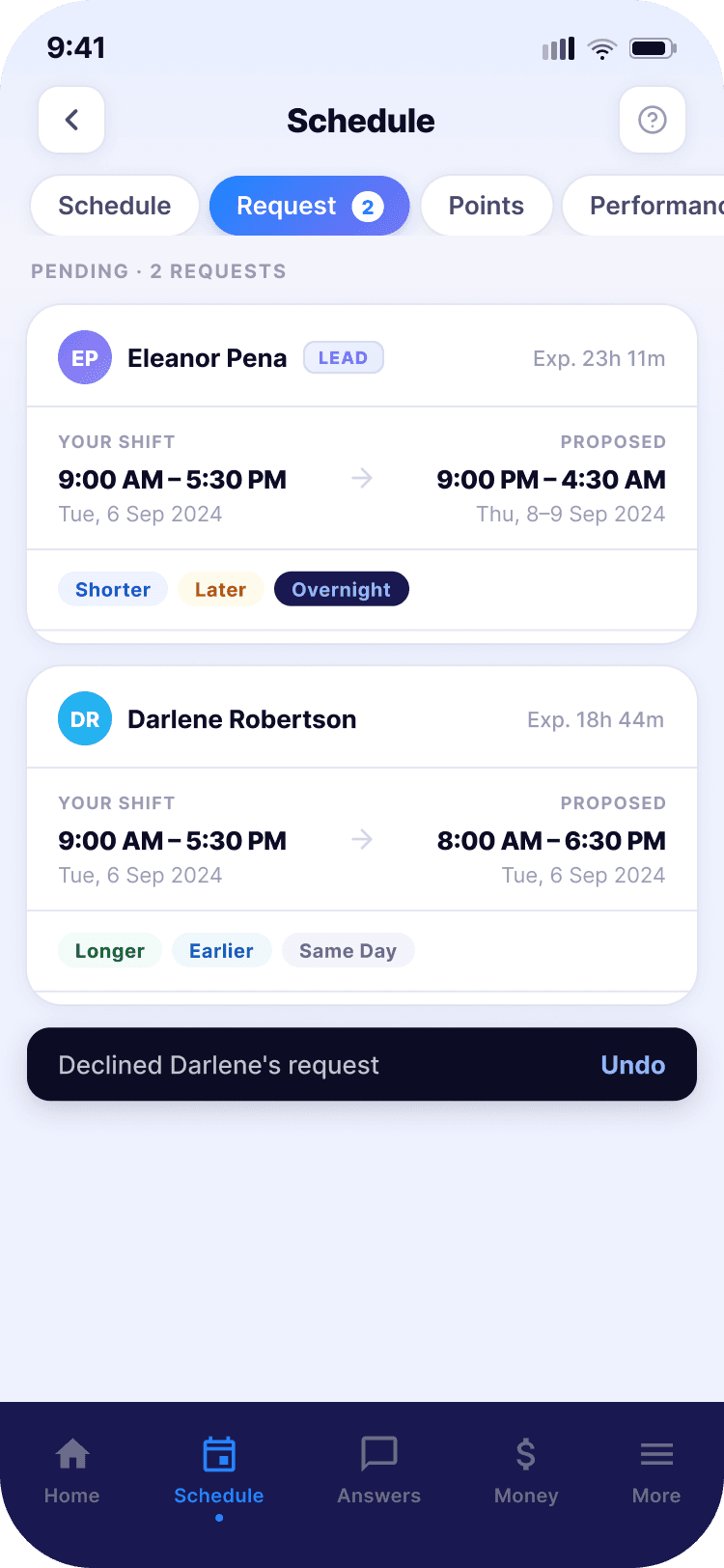
Accepting a shift change triggers a confirmation modal with a clear warning: "All other requests for this shift will be automatically declined." In the original design, that consequence was invisible. Declining folds the card with a 5-second undo window. The asymmetry reflects the actual risk — a decline affects someone's schedule. Give them a moment to reconsider.
Left: weekly schedule with colour-coded attendance. Right: shift change flow showing the confirmation modal.
Approval Center
The feature nobody had thought about — until we asked.
The original app had no dedicated experience for leadership. Team leads and operations managers used the same interface as frontline employees.
The PM and Product Director confirmed through research that managers were processing routine approvals at their desks that could be handled on a phone. They handed me the brief. No wireframes. No direction.
The insight that shaped everything: managers deal with volume, not complexity. Most requests are routine. Design for speed, not deliberation.
Design Decision
Batch structure instead of a flat list
Requests grouped by type and team, with a tri-colour progress bar showing approved / declined / pending. A manager can see in one glance that the Airbnb coaching batch has 9 pending and closes in 13 hours — and go straight there.
Design Decision
Asymmetric undo on swipe interactions
Swipe right to approve — instant, no undo. Swipe left to decline — 5-second undo window. This came directly from what managers told us: most of the time they're just moving through approvals. A decline is the decision that needs a pause.
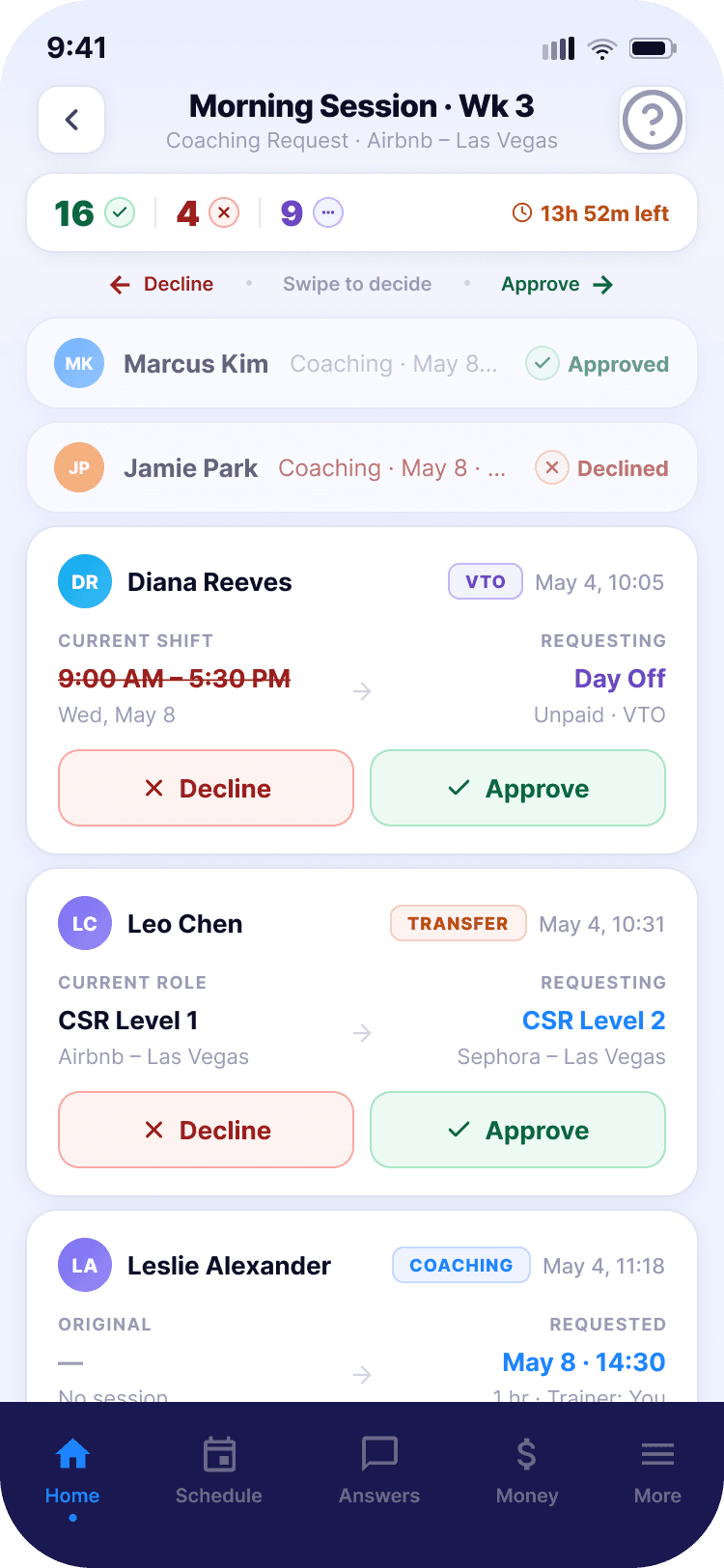
Left: batch overview with tri-colour progress bars. Right: detail view with inverted list and swipe interaction.
Express Pay
Transparency was the entire design problem.
The company paid weekly. Shifts ended Friday. Money arrived Monday. For employees living paycheque to paycheque — which describes most frontline contact centre workers — that gap was real hardship during the pandemic.
Express Pay offered earned wage access: the ability to advance up to 50% of gross earned wages already worked. Not a loan. Money you've already earned, available earlier.
Design Decision
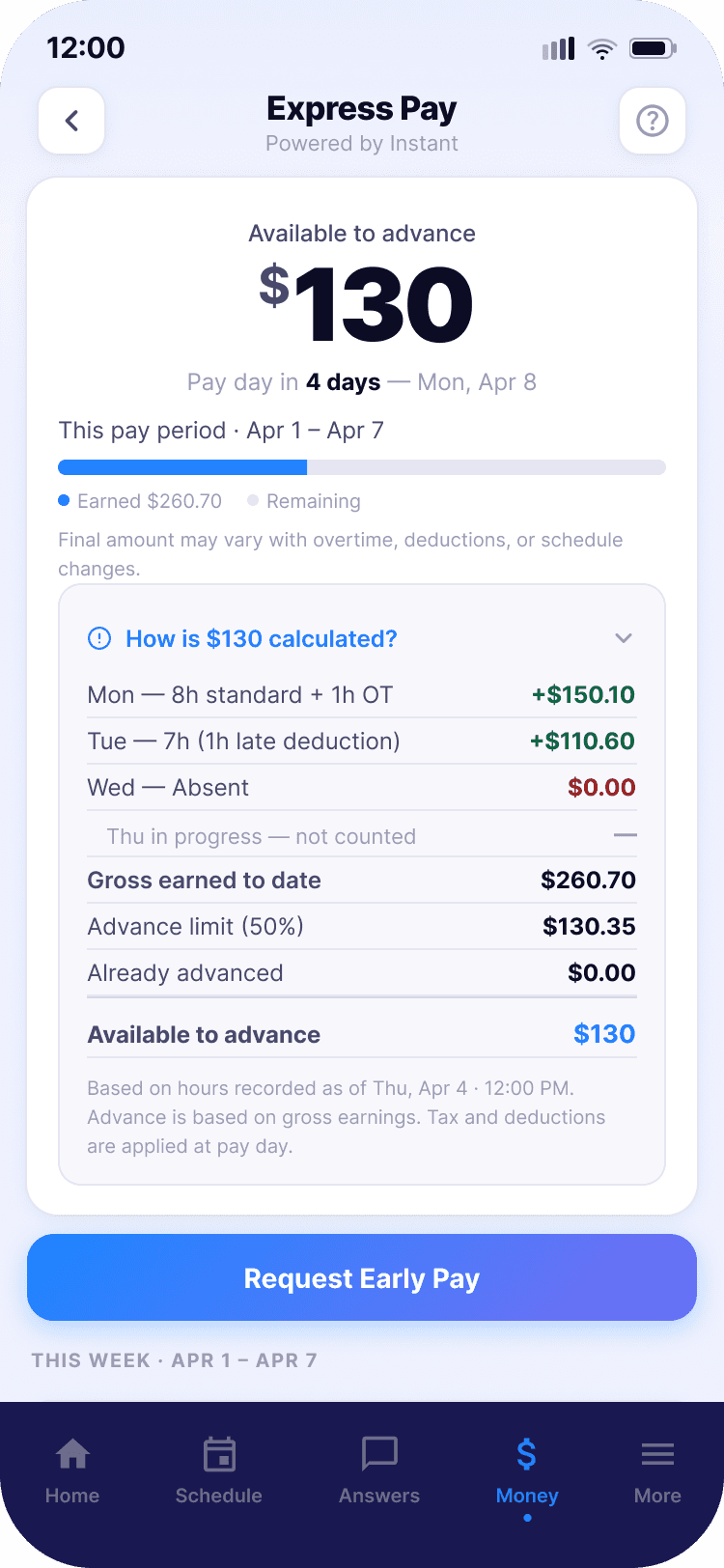
Collapsible calculation panel — show the work
The available amount isn't arbitrary — it's calculated from verified hours, adjusted for overtime and deductions, capped at 50%. If an employee doesn't understand how the number was derived, they won't trust it. The panel shows the headline by default; tap "How is this calculated?" for a full day-by-day breakdown.
Design Decision
Progressive disclosure on transfer history
Status in the list. Full transfer timeline on tap — showing every stage from request to bank delivery, with specific failure reasons and actionable next steps. "Please try again" tells you nothing. The redesign tells you exactly where the transfer failed and what to do about it.
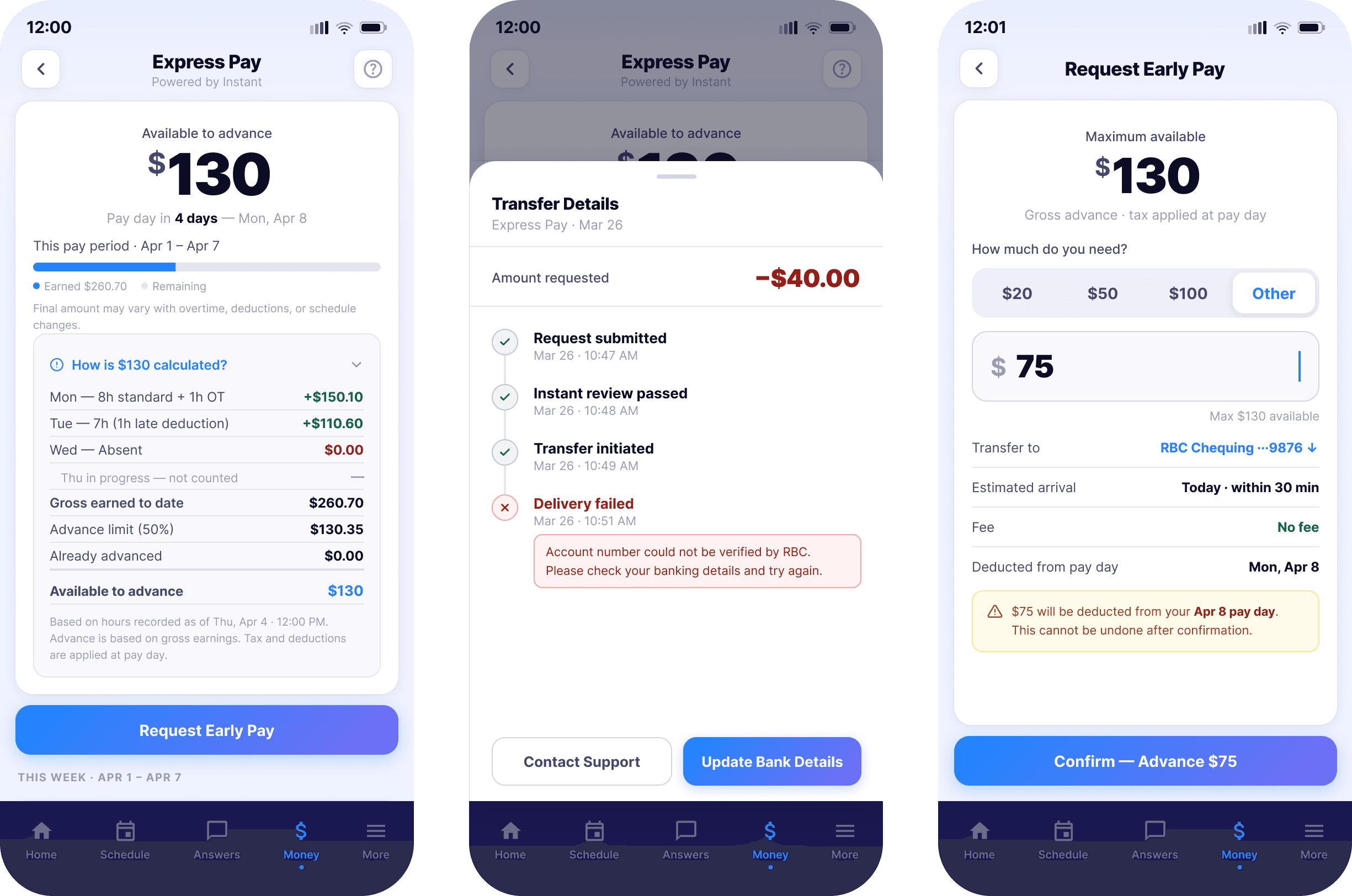
Left: overview with collapsible calculation. Centre: transfer detail timeline. Right: request early pay flow.
Express Pay was never launched. The regulatory and financial complexity of implementing earned wage access across multiple countries and tax jurisdictions made it difficult to ship. The design is solid. The business problem was harder.
Reflection
What I'd do differently.
The design system in Phase 1 was incomplete
I catalogued components and introduced some consistency, but I didn't have the standing or the time to overhaul the system while a live product was running. Starting with a stronger case for system-first design would have saved time in Phase 2.
The Approval Center needs a usability study
It was never launched during my time at the company. I don't know whether the batch structure and swipe interactions worked as well in practice as they did in testing. I'd want to close that gap before calling it finished.
Fintech products need compliance before design
Express Pay needed more collaboration with compliance and finance than it got. In a financially regulated product, those questions need answers before a designer touches the interface — not after.
I joined this project executing someone else's vision. I left as the person who defined the direction, built the system, and designed the most complex feature from scratch. The biggest shift wasn't technical. It was understanding that the most important design decision isn't what something looks like — it's who you're designing for and what they're carrying when they open the app.
Currently open to new
opportunities.
Let's build something that works for the workers.
← Back to all work