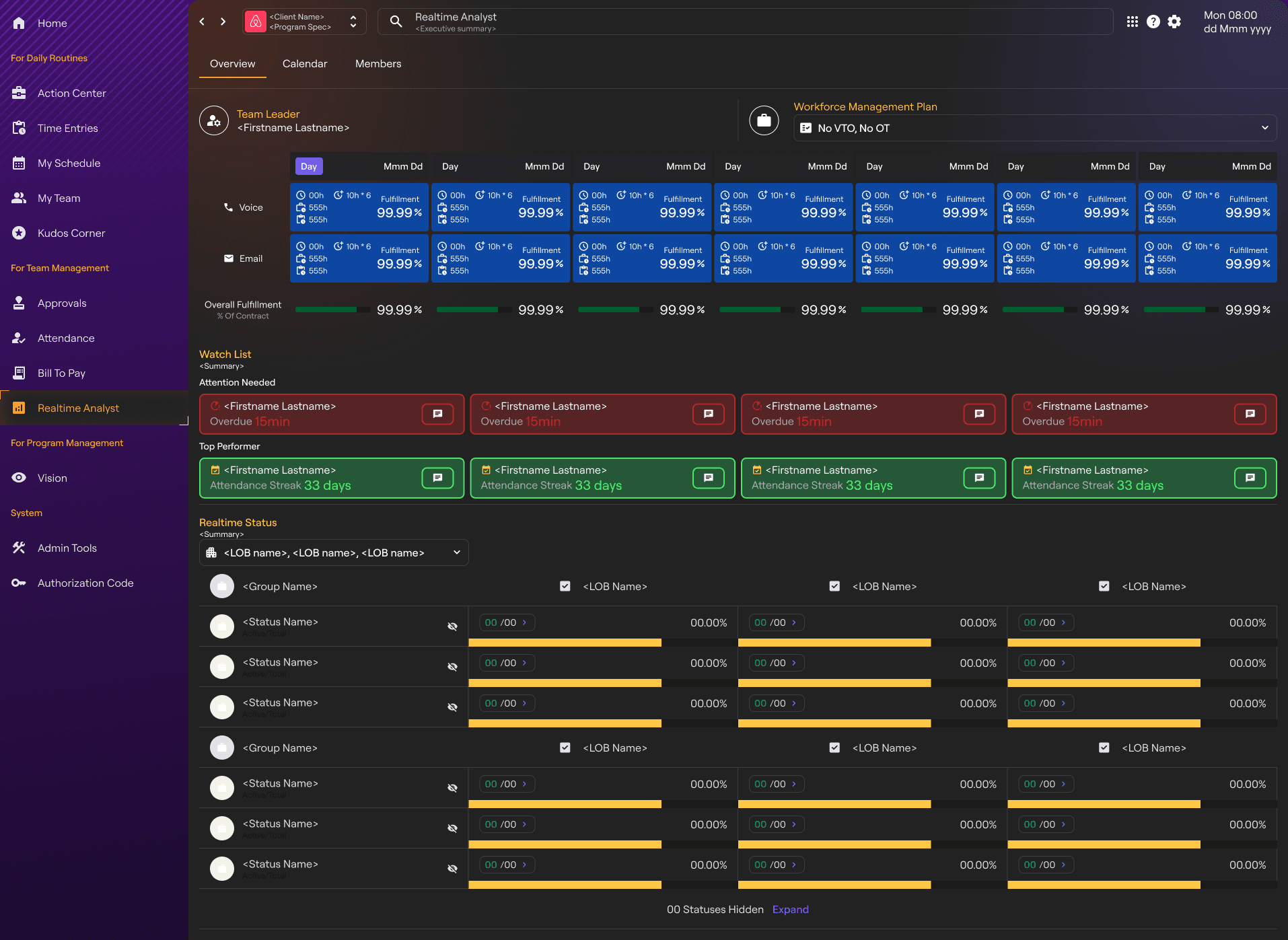
IntouchCX Realtime Analyst (RTA)
Real-time Workforce Command Center
Get Started
Learn More
Responsibilities
Product design
Product strategy
Team
Evan Zhai - Product Designer
Geri S - Product Owner
Adam S - Development Director
Duration
Oct 2024 - Mar 2025
Project Overview
The Vision project addresses information overload in enterprise data visualization platforms, enabling users to quickly identify key business metrics.
Target Users
Primary users include financial analysts and operations managers who need to process large datasets and make rapid decisions.
Product Goals
Improve data exploration efficiency,
Reduce cognitive load,
Ensue platform scalability and customization.
Design Process
User Research
Through 5 in-depth interviews and 2 workshops, we identified core pain points in
Data navigation
Custom reporting.

Understanding work statuses at IntouchCX contact centers
Competitive Analysis
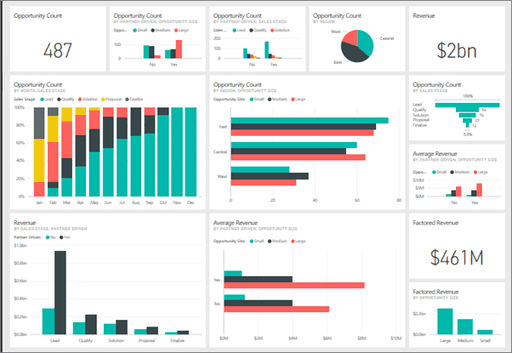
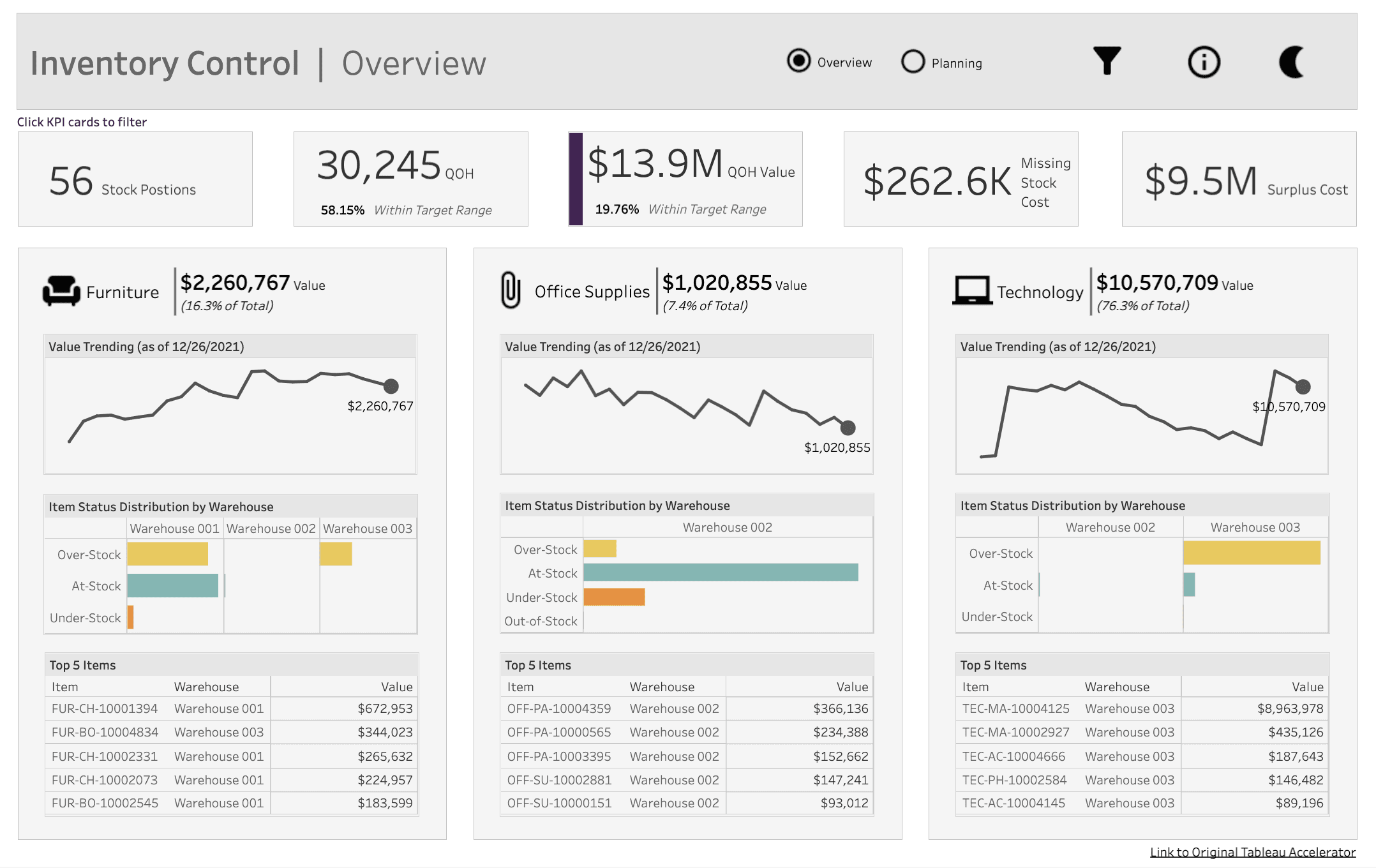
Analyzed leading tools like Tableau and Power BI, identifying gaps in real-time collaboration and mobile experience.

PowerBI
Microsoft

Tableau
Tableau Software, LLC

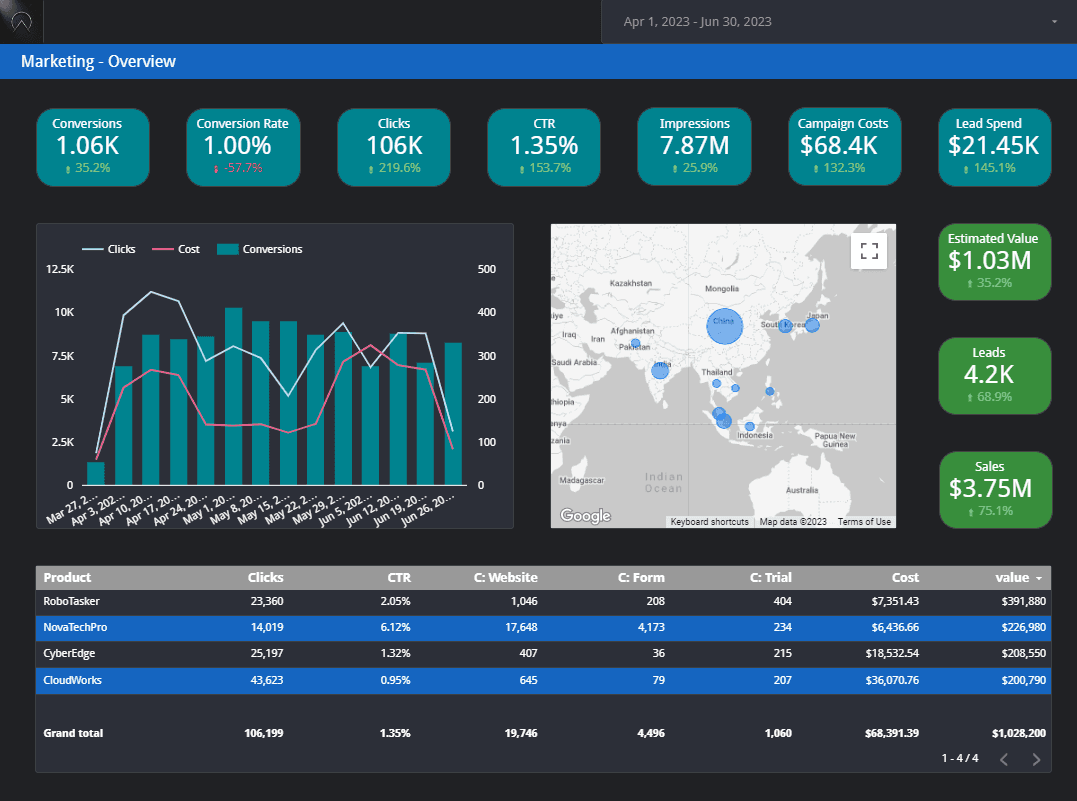
Looker Studio
Pain Points
Information overload in data dashboards
Cumbersome custom reporting workflows
Lack of real-time collaboration features
Problem Framing
How might we provide a more flexible data exploration experience without increasing cognitive load?
Design Solution
Key Features
Information Architecture

Wireframes & UI Design
Progressive disclosure and smart defaults simplify the learning curve for complex features.
Design System
Built a design system with 120+ components, ensuring cross-platform consistency and speeding up development.
Pain Points
Information overload in data dashboards
Cumbersome custom reporting workflows
Lack of real-time collaboration features
Problem Framing
How might we provide a more flexible data exploration experience without increasing cognitive load?
Results
Impact
Alert Response time
Improved by
84%
(45min to less than 7min)
Potential Loss
Saved
$2.7M/year
Next Steps
Plans include expanding mobile experience and introducing AI-driven predictive insights.
战略背景
Strategic Context
pain point
“Managing 5,000+ customer service agents across 12 time zones wasn't just about numbers
– it was about taming chaos. Leaders were drowning in Excel sheets while missing critical risk signals.”
Jeff Fettes, CEO of IntouchCX
context
背景/现有资源
Why we need more than looker studio
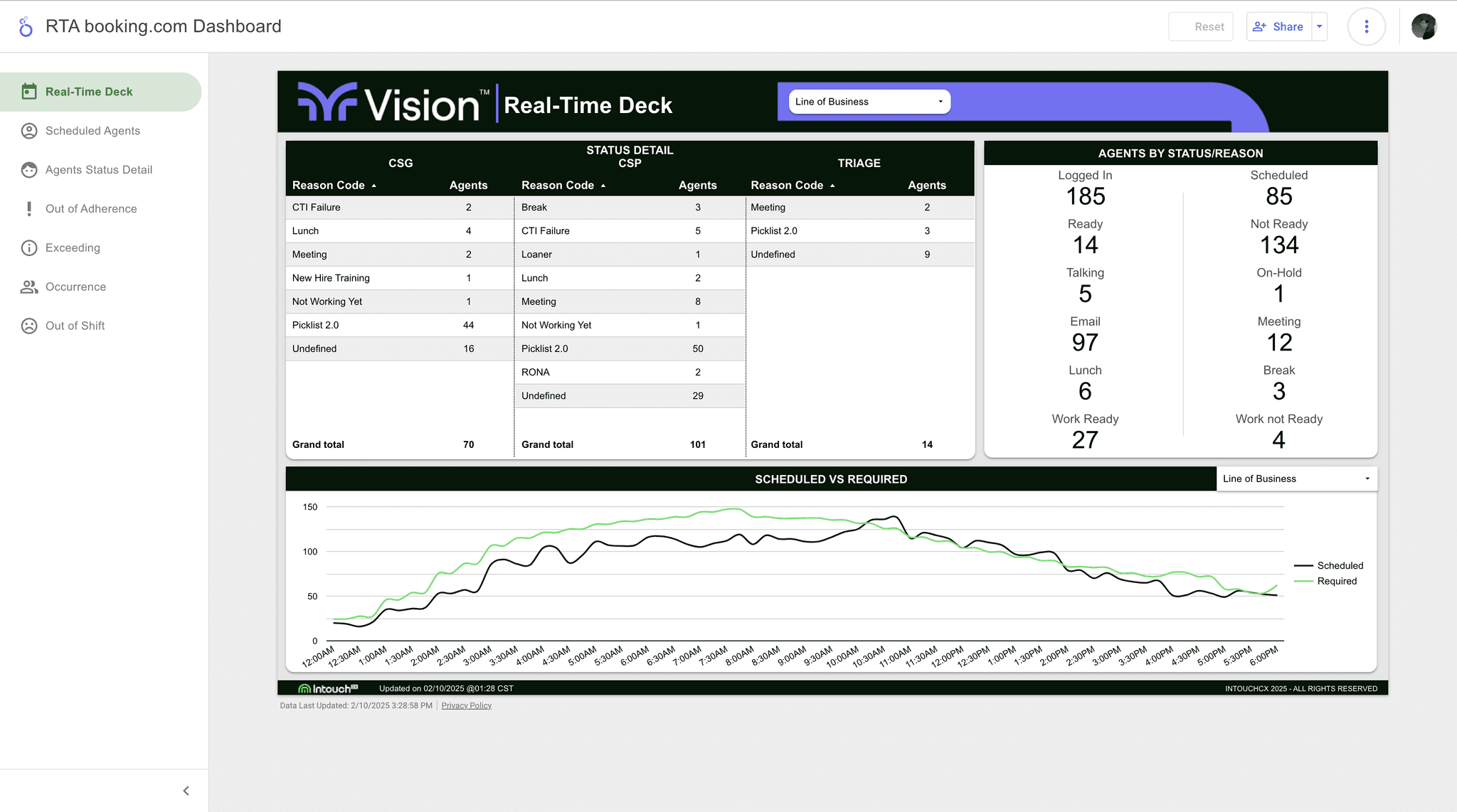
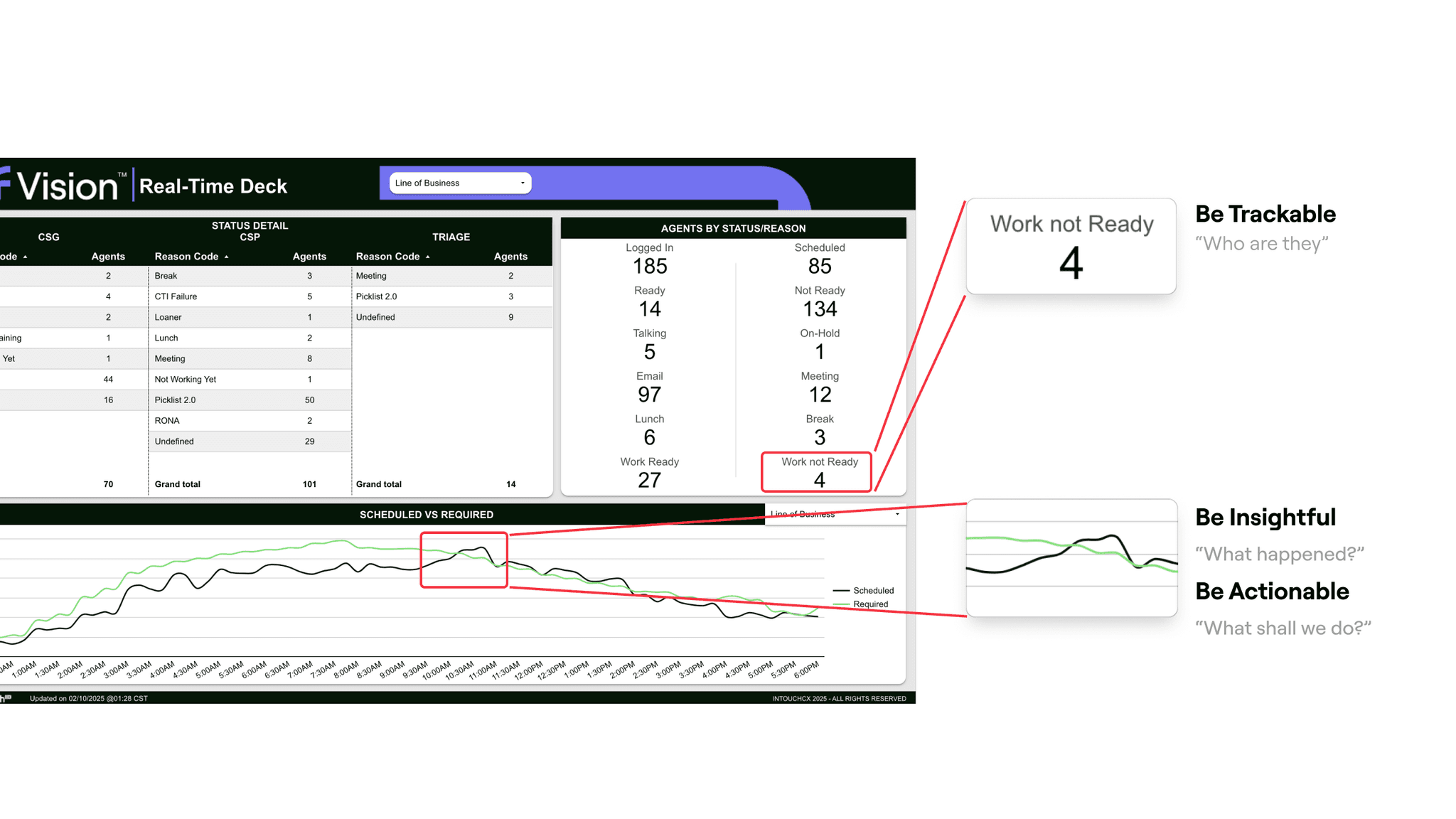
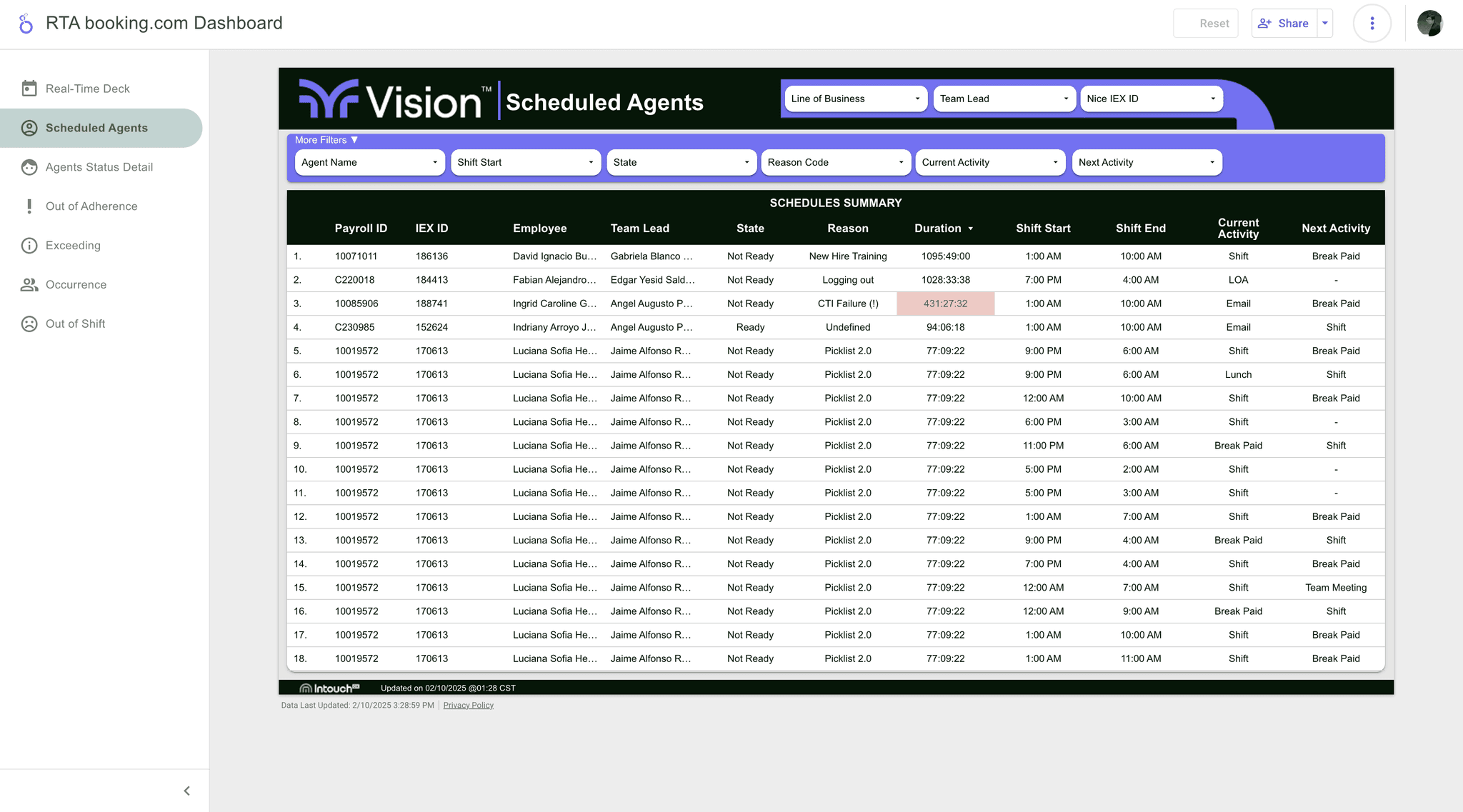
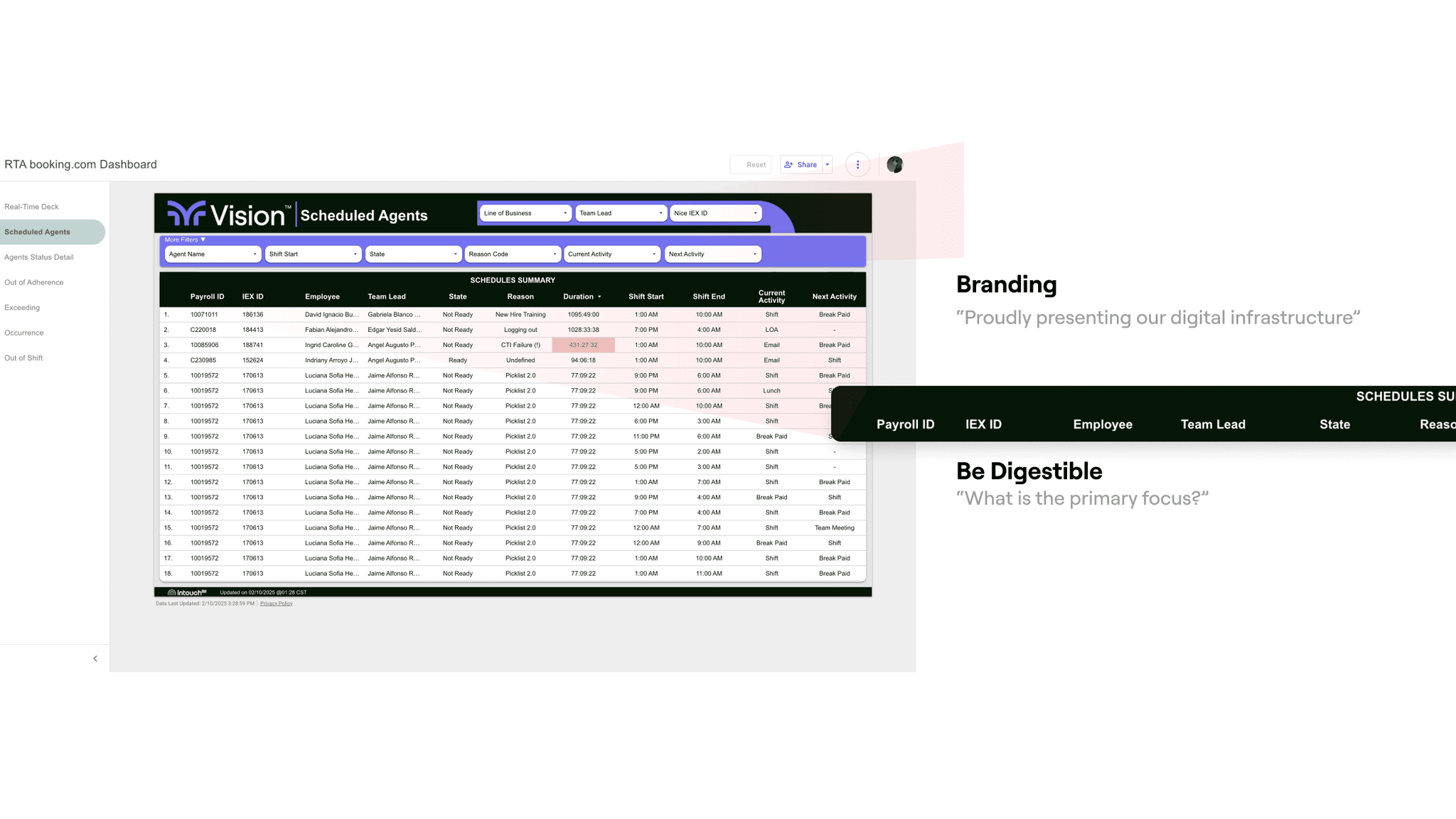
context
背景/现有资源
Why we need more than Tableau Reports
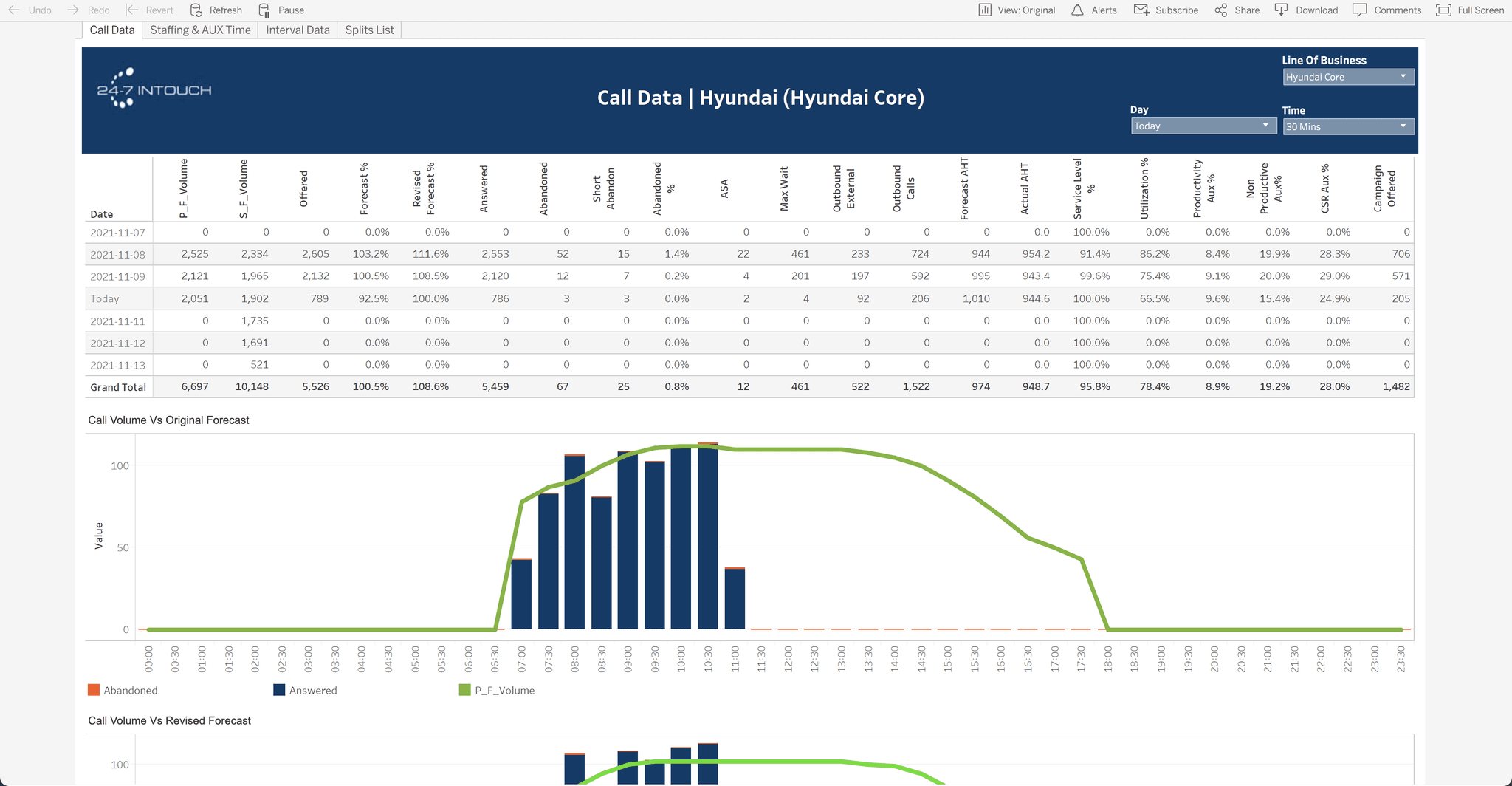
Design Leverage
"Transformed fragmented data into a Real-Time Decision Engine that:
Predicts SLA breaches 2hrs in advance
Visualizes agent performance across 17 dimensions
Automates compliance reporting for 5 regulations"
highlights
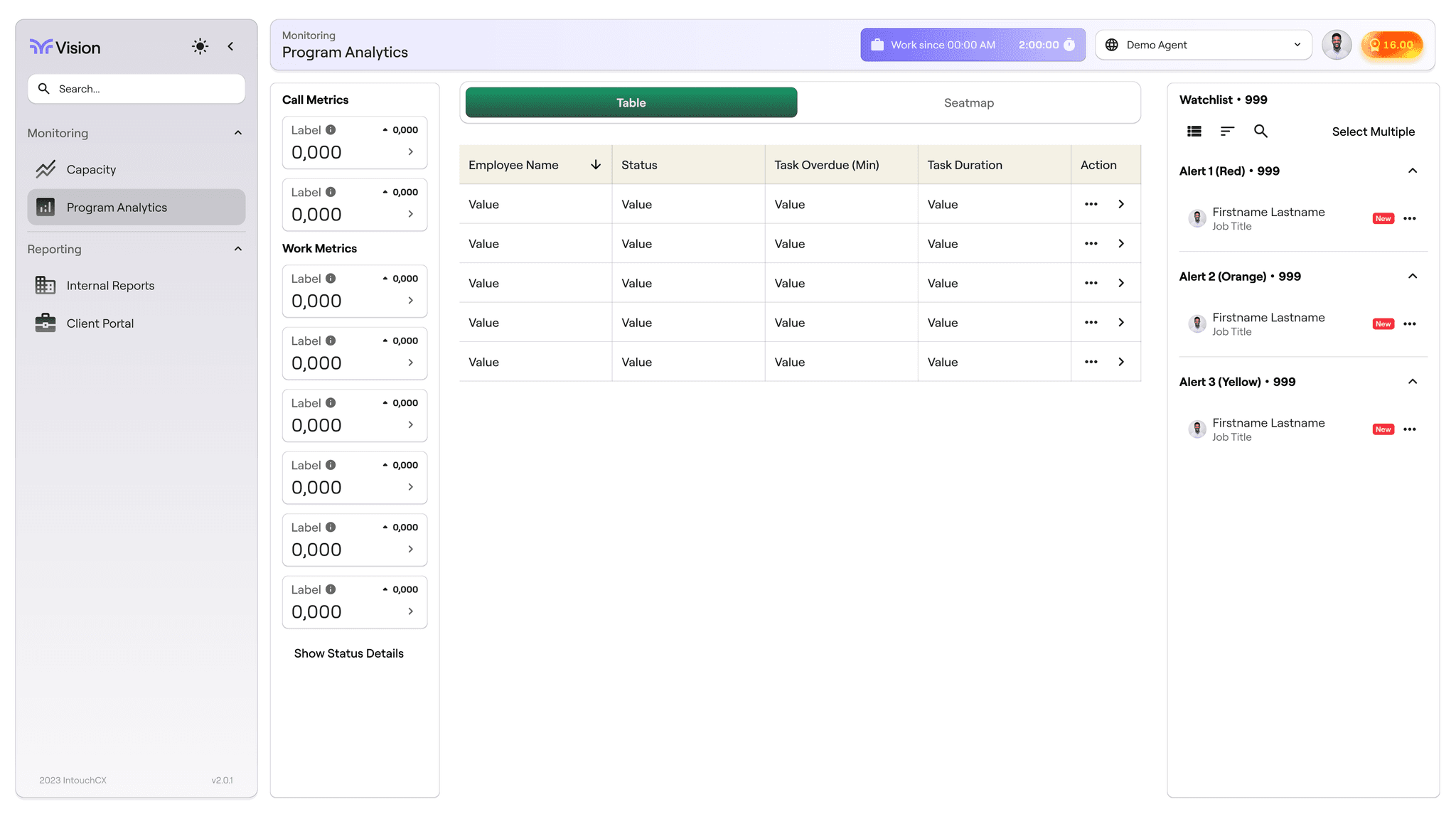
核心模块展示/监控模块
monitoring
highlights
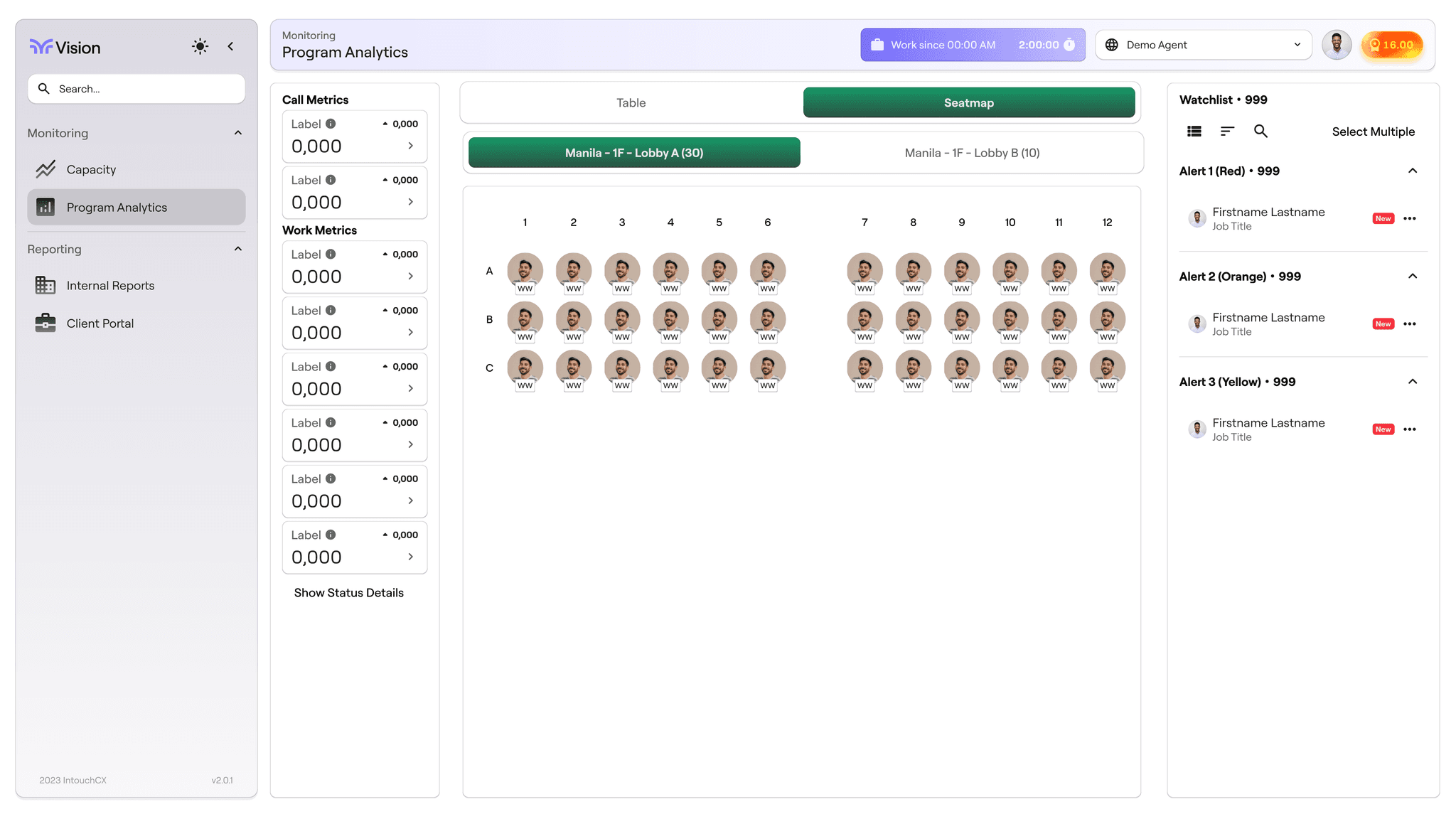
核心模块展示/客服坐席实时追踪
Seatmap
highlights
核心模块展示/团队效能指标
Performance indicators
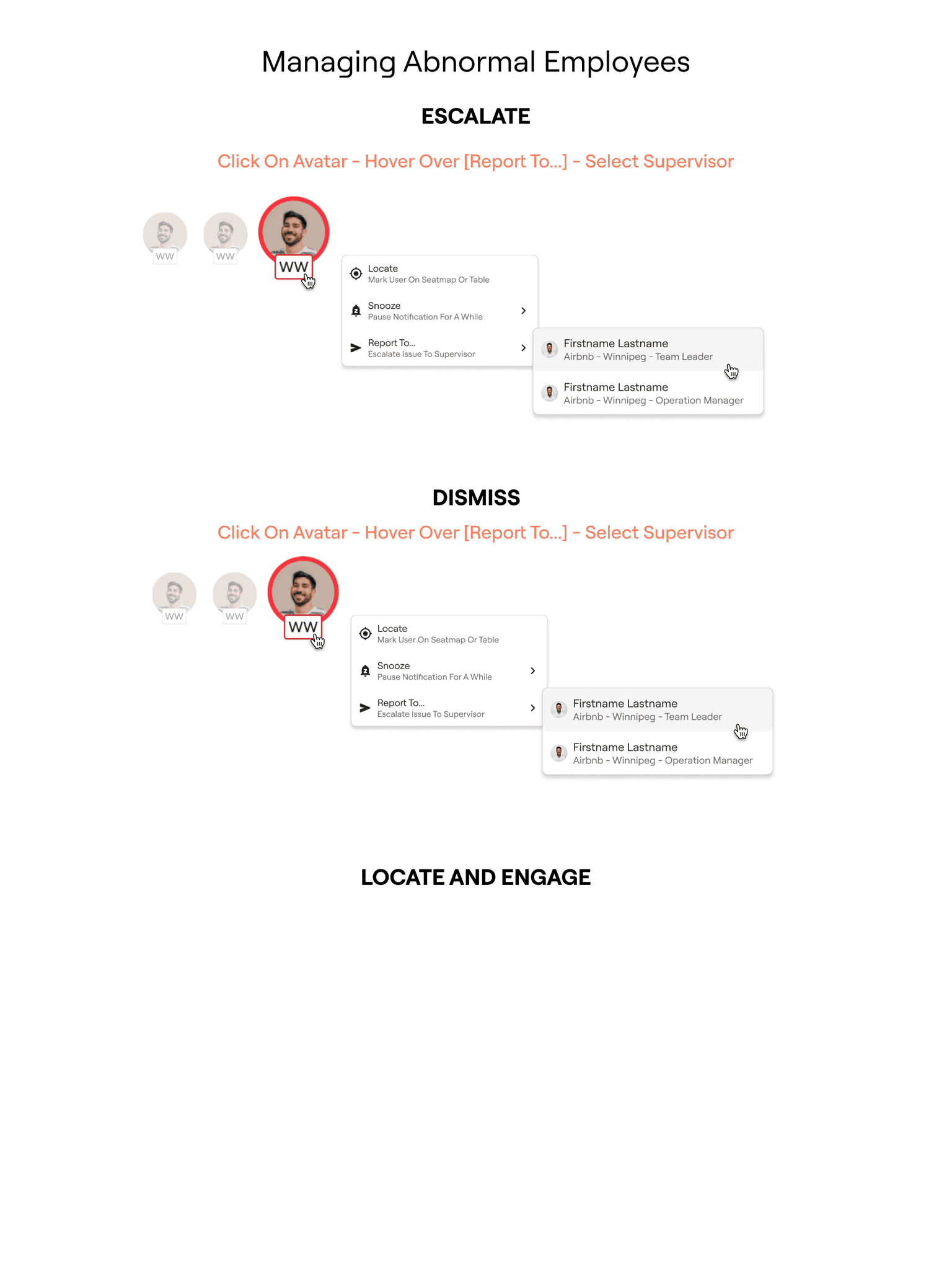
实时检测员工异常行为/异常模式识别
警报机制:"建立3级风险预警系统覆盖89%已知异常场景" ,响应速度↑84%
实时预警看板
创建可配置仪表盘模板,支持8种预设分析视角
highlights
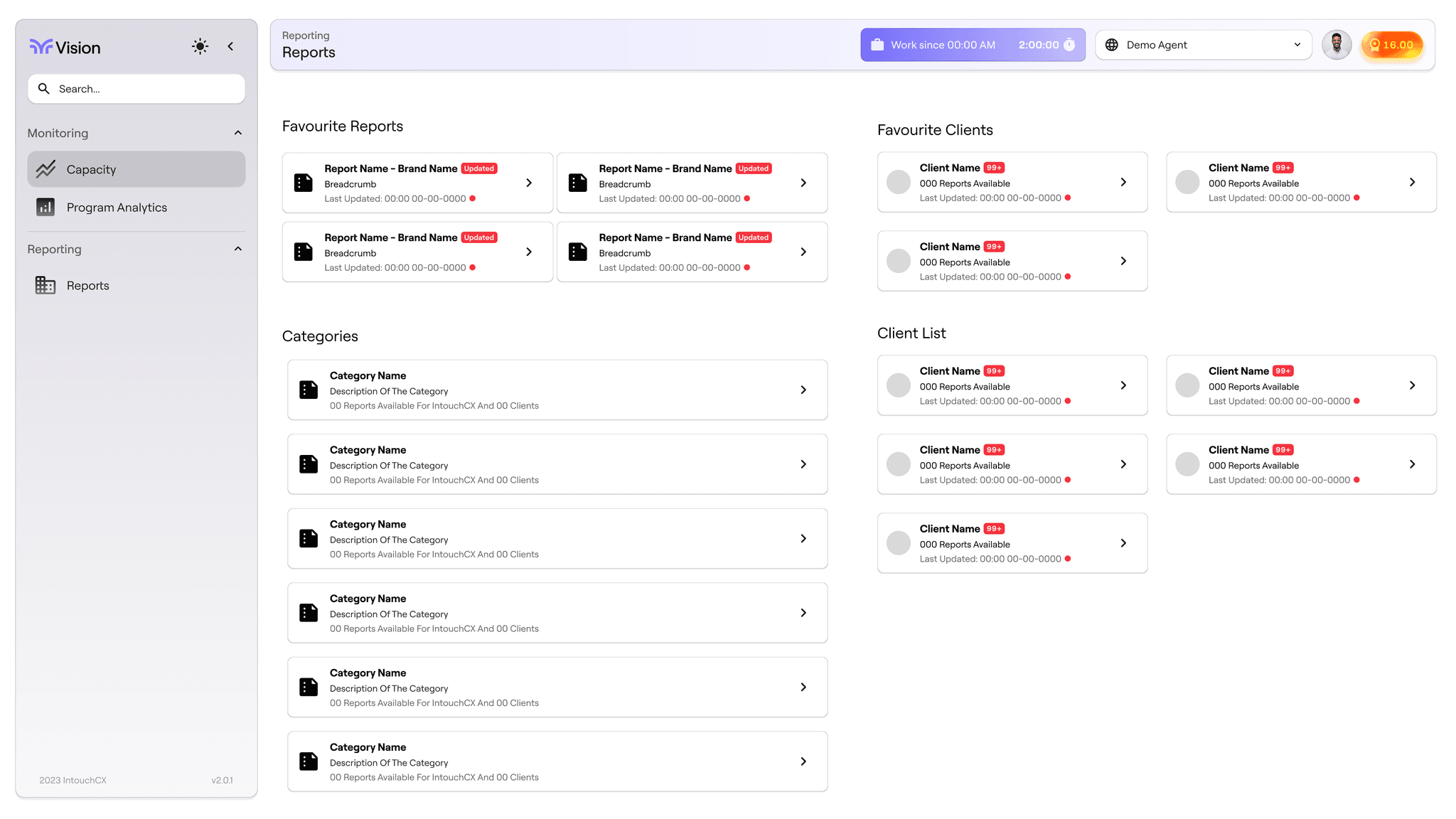
核心模块展示/报告中心
Reports
Design process
设计过程揭秘/关键数据
Key indicators
5
iterations
5
testing sesions
5
fewer support tickets
1
designer in charge
Design process
设计过程揭秘/工作流程
Workflow
5
iterations
5
testing sesions
5
fewer support tickets
1
designer in charge
How do we best set ourselves up to deliver the best level of service
…and maximize revenue as a result
“best level” varies in many aspects depending on department in question
quality: quality control via training and coaching
quantity: capacity development and extension via workforce management
this time the RTA is expected to be a powerful support tool to WFM team to adjust the capacity against fluctuation:
here are a few question you may ask:
local_fire_department
client: season, promotion, contact: capacity
local_fire_department
contact type, subgroup, interval volume overstaffed vs understaffed, overperforming vs underperforming
local_fire_department
This is the paragraph…
we evaluate the program capacity
We measure three main aspects:
Required
Planned
Actual
Understanding the context
The existing tech
based on Google Looker Studio
The user: who is using this software and how?
leadership: monitor employee activity, evaluate program capacity compared to the requirement and adjust workforce management accordingly
How do they think of the current software?
The partner
Adroitent Inc. and outsourced company
limited product knowledge
Who is using RTA and how
who: user group
local_fire_department
they need something highly efficient with lower learning cost
local_fire_department
they need something highly efficient with lower learning cost
local_fire_department
they need something clear to navigate and self-explanatory so they can showcase the company's robust digital solution to gain advantage when negotiating with potential clients
Our Users' visions foster design strategies
local_fire_department
This is the paragraph…
local_fire_department
This is the paragraph…
local_fire_department
This is the paragraph…
local_fire_department
This is the paragraph…
Common WFM workflow and how RTA is involved

RTA plays a fundamental role by facilitating the following tasks
local_fire_department
agent's real time performance (aux usage, shift adherence)
local_fire_department
flagging those call-outs to the operations team. This means calling out agents who might be on long calls, long break/lunches or unauthorized aux usage.
local_fire_department
review schedule requirements and compare that to agents shift adherence (monitoring agents absences and tardiness) and compare that to current and project volume
local_fire_department
based on the review, RTA generates contextual feedback for WFM team to fill the gap between actual performance and the required one
local_fire_department
agent's real time performance (aux usage, shift adherence)
local_fire_department
flagging those call-outs to the operations team. This means calling out agents who might be on long calls, long break/lunches or unauthorized aux usage.
local_fire_department
review schedule requirements and compare that to agents shift adherence (monitoring agents absences and tardiness) and compare that to current and project volume
…before identifying our niche
local_fire_department
custom features
local_fire_department
internal access via VPN
local_fire_department
low development cost, especially with outsourced development team
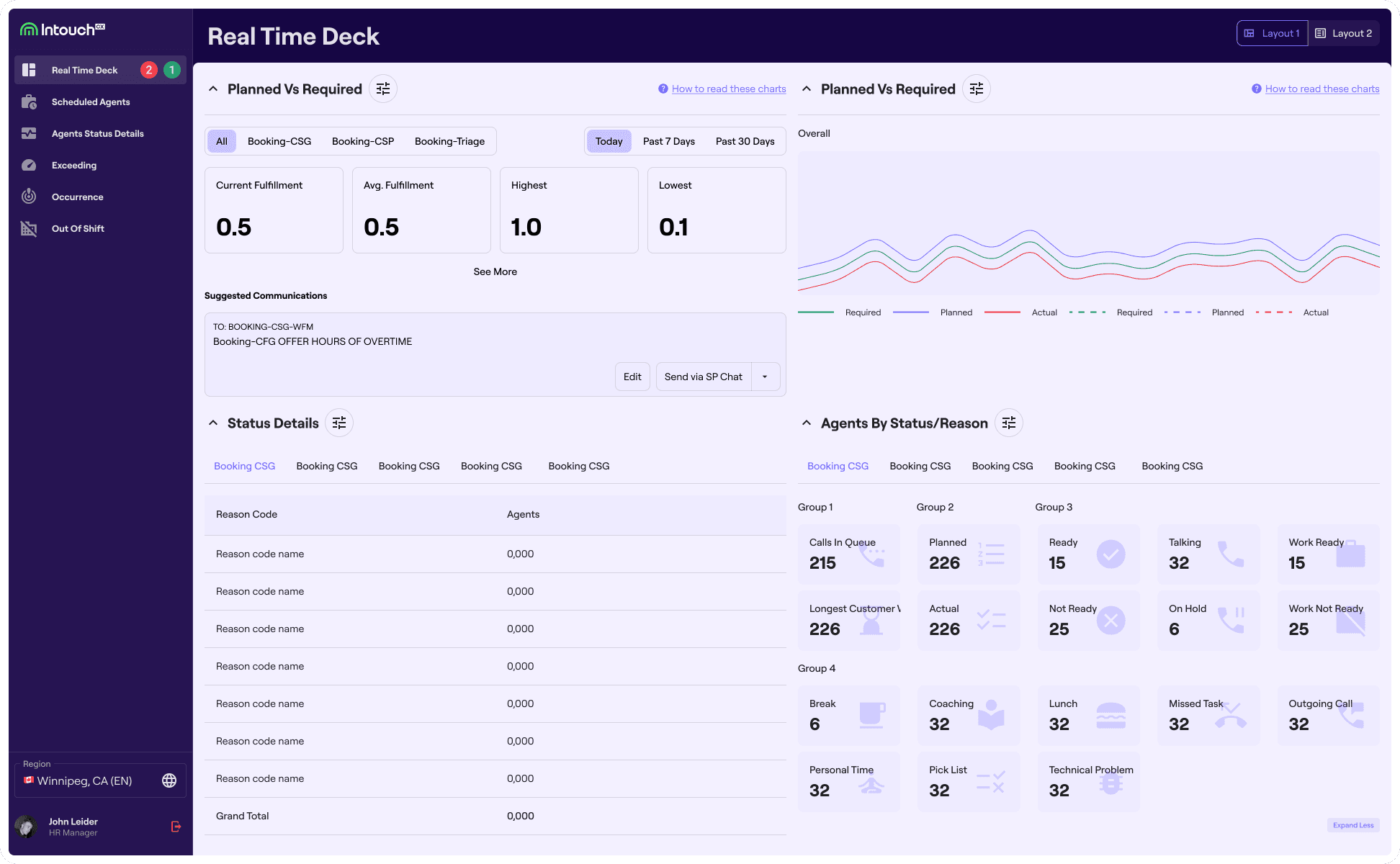
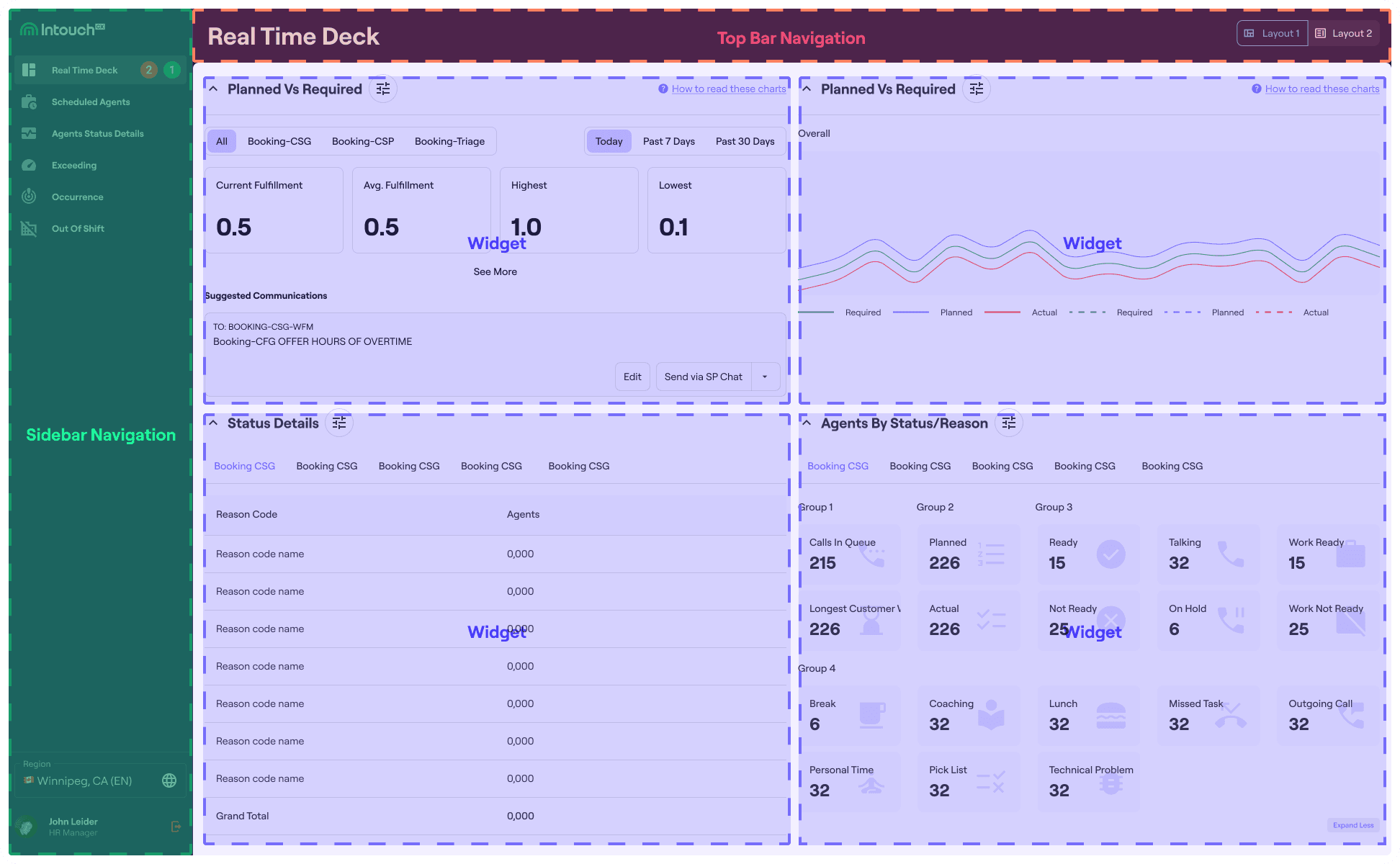
ANATOMY
the interface in a nutshell
well-organized layout
This is a paragraph…
local_fire_department
This is the title
This is the paragraph…
local_fire_department
This is the title
This is the paragraph…
local_fire_department
This is the title
This is the paragraph…
NOTES ON
NOTES OFF
userflow for
action 1
step 1
sub step
sub step
sub step
step 2
sub step
sub step
sub step
step 3
sub step
sub step
sub step
Step 1
This is to explain how to do step 1
Details in Step 1
This is to explain the details in step 1
propose new features and iterate interface design based on strategic insights
insights from user interview
insights from analytics
insights from meeting with leadership
new features proposed
configuration panel
tabs
interface elements iterated: data visualization
real time status dashboard
a grid of snippets
table
time gauge
charts
interface elements iterated: ease of use improvement
terminology snippet
light vs dark mode
layout switch: tailored layout that fits specific needs of the use's role
region select: change to local time and formatting based on where you are
interface elements iterated: branding and visual
brand style guide
Doe that make sense: Finding from user testing
商业价值证明/硬性指标 Business Metrics
商业价值证明/软性影响力 Voice of Employee
Eva Elle
team lead
Easy to see at a glance the blockers in my program
Eva Elle
team lead
Easy to see at a glance the blockers in my program
Eva Elle
team lead
Easy to see at a glance the blockers in my program
Takeaways and next steps
Takeaways
Next steps